Don’t know how to create a content marketing strategy for your website? It’s more than picking the highest volume keywords relevant to your business and using similar tactics from your competitors. It requires a data-driven approach that’s tailored to your brand’s goals and website metrics for a better ROI on your content marketing.
Below is a step-by-step guide on building a content strategy for your site to help get the results you’re looking for.
How to Create a Content Marketing Strategy for Your Website in Six Steps
Here’s how to create a content marketing strategy for your website in six steps, with best practices to follow:
1. Clarify Your Content Goals to Structure Your Strategy
The first step to developing a content strategy for your site is understanding your goals. Do you want to build brand awareness? Increase leads? Convert more visitors? While this may be all of the above for your business, answering these questions will help determine the approach of your content strategy.
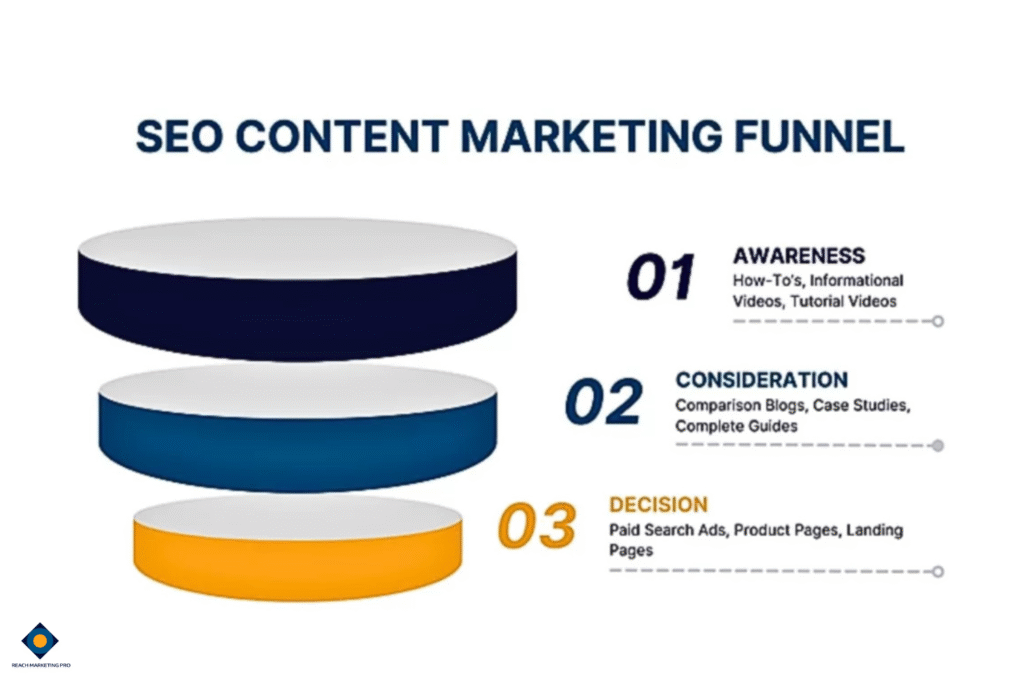
Top-Funnel (Awareness): How-to blogs, informational videos, etc.
Middle-Funnel (Consideration): Case studies, comparison blogs, etc.
Bottom-Funnel (Decision): Product pages, demo videos, etc.
Understanding which type of audience you want to attract ensures you create content with the right search intent. Some users may be ready to buy in the bottom funnel stage and want a short answer about your product instead of reading an in-depth blog about it. In contrast, others may be in the middle funnel stage and want to compare their options before buying.
Knowing the reason behind a person’s search online, combined with your goals, is critical to the success of your web content strategy.
2. Understand Your Target Audience to Personalize Your Content
Brands often have an idea of who their target audience is, but not at each funnel stage. They have different needs, concerns, and demographics at each step of their buyer’s journey—so your content strategy should be personalized for each one.
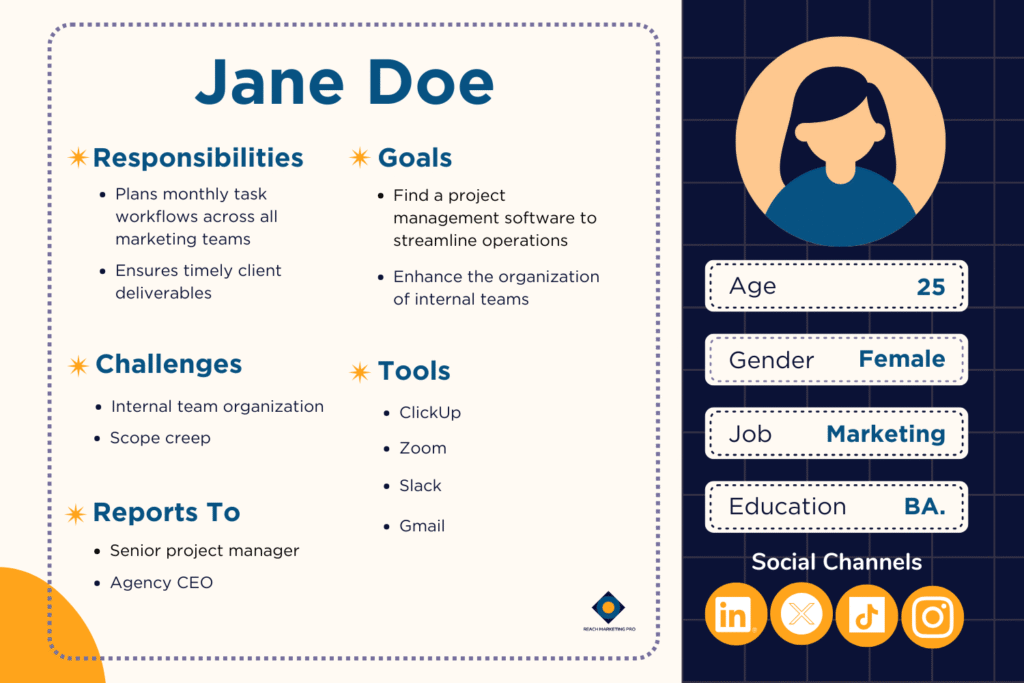
Before you start making content, conduct a buyer persona workshop with your team to create a general idea of who they are. You can find this specific user data on Google Analytics, customer data profiles, and past marketing campaigns.
There are also buyer persona templates and AI tools available that include details for you to fill out, including their age, gender, common pain points, and preferred online channels.
For example, the 25 to 30-year-old age range shows higher engagement metrics with your project management software demo videos than the 50 to 55 age range. The younger demographics are clicking and watching the video to learn more about your product, while the older personas are reading your case studies to determine your brand’s credibility.
These behaviors show that younger audiences have a more transactional intent at the bottom funnel, while older audiences have a commercial intent in the middle funnel, who want to compare providers.
Considering these core details will help your site’s content be more targeted to the exact people you want to reach.
3. Conduct a Content Audit to Discover Opportunities & Areas for Improvement
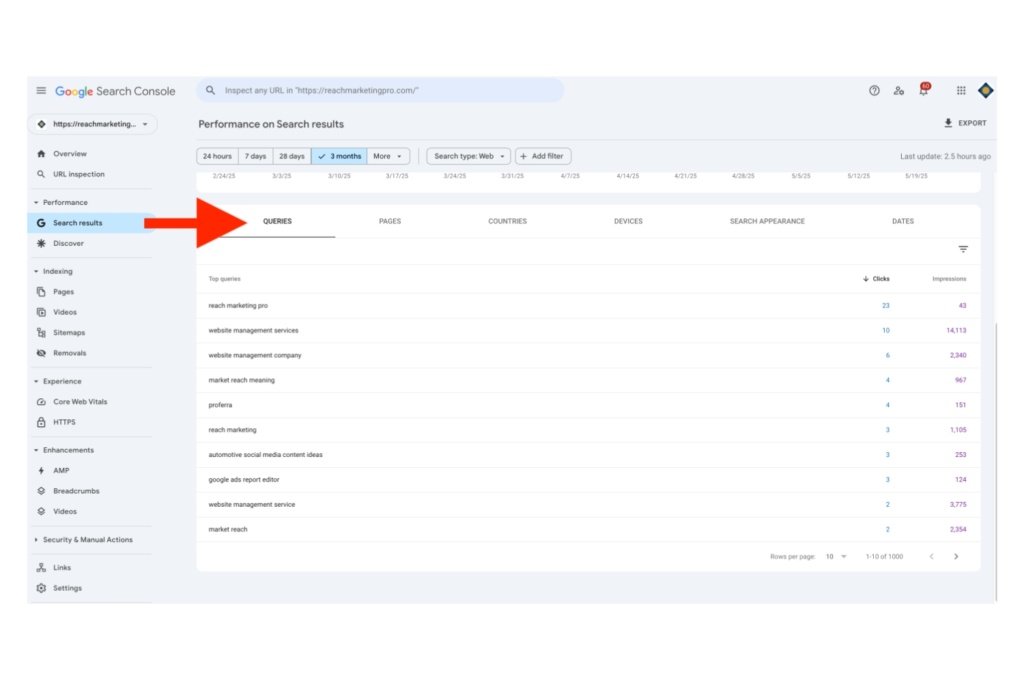
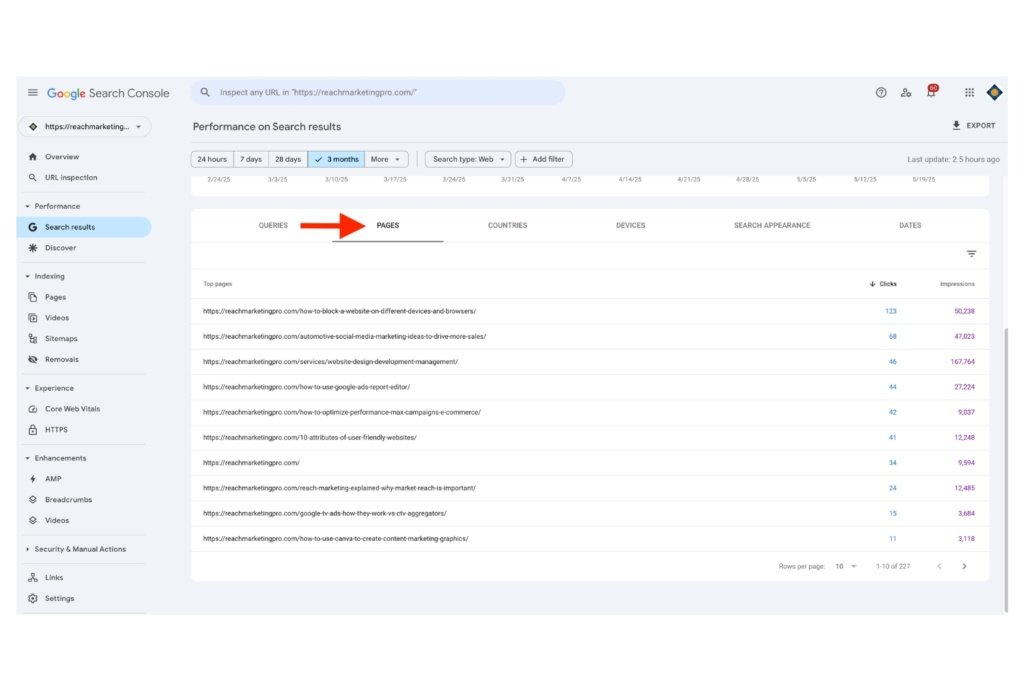
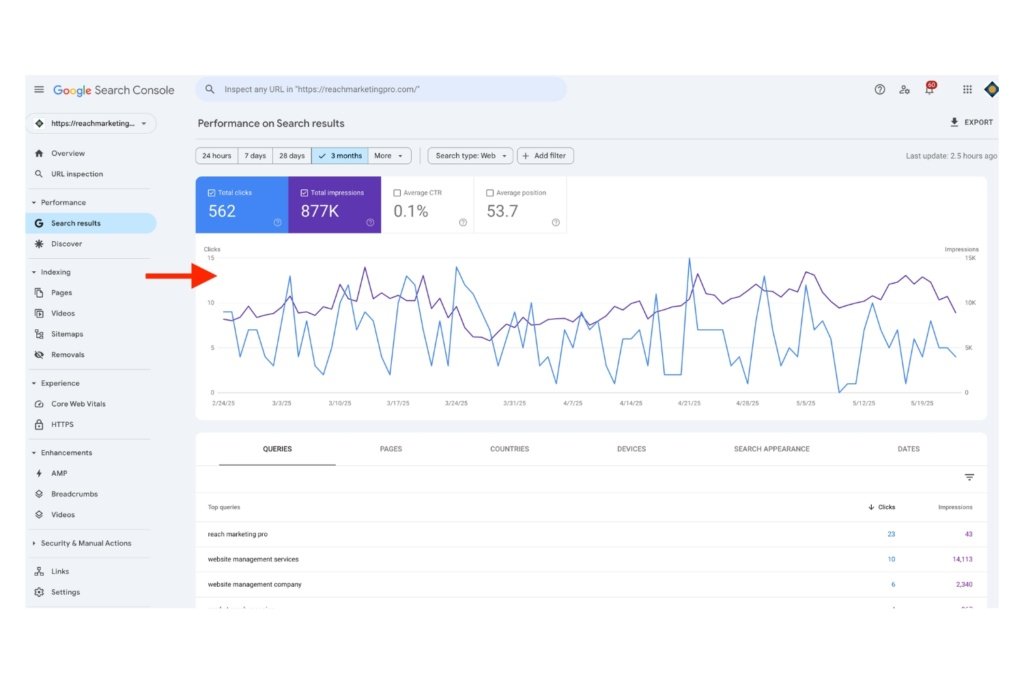
As mentioned above, you’ll need to leverage website analytics to determine the focus of your content marketing strategy. Do this by conducting a content audit of your website with tools like SEMRush, Google Search Console, and Screaming Frog. These platforms will analyze your site’s content performance and flag potential issues, like broken links, that may be impacting it.
You may find that your blogs are bringing in the most organic traffic, so you can expand on the highest-performing topics. In contrast, you may find that your service pages are generating minimal traffic, uncovering areas for improvement with optimization, like replacing wrong search intent keywords and adding higher-quality images.
A data-driven approach is the foundation of success if you don’t know how to create a content marketing strategy.
4. Decide the Type of Content to Create Based on Your Expertise, Audience, & Website Audit Metrics
After conducting a website audit and understanding who your buyer personas are at each funnel stage, you can decide the type of content to create in your strategy. This step is where you can leverage your brand’s expertise as an authority in your industry based on this information.
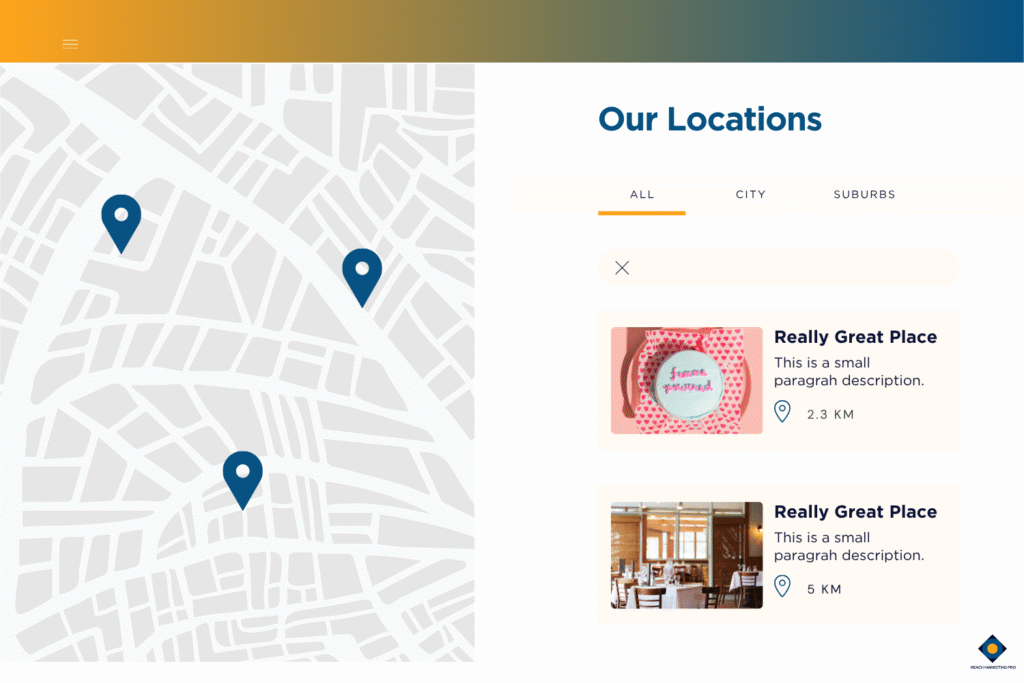
For example, if visitors are heavily entering the site from your Google Business Profile, this can be a great opportunity to create location-specific content. As a local business, you can utilize these metrics to make service location pages, like Denver Social Media Marketing, to target nearby audiences who live in these areas.
You can even expand upon this strategy’s success with related cluster blog topics like “What to Look for in a Denver Social Media Agency” and internally link back to your service location page. This approach is an effective way to strengthen your site’s on-page SEO and content marketing efforts.
5. Plan Your Content Marketing Workflows
With a better idea of the type of content to create and who you want to target, the next step is delegating who is responsible for executing these tasks. Create monthly content marketing workflows for everyone involved, such as SEO content writers and graphic designers for visuals.
You may need to ask website developers to embed features like calculators, maps, and social sharing buttons to produce higher-quality content.
These workflows should be done the month prior so they have enough time to prepare, including:
Assigning tasks to each assignee
Scheduling a monthly content calendar
Organizing tasks at each production stage (plan, produce, and publish)
Establishing an efficient process for your content marketing strategy is key to staying organized with multiple teams involved.
6. Monitor Your Content Marketing Strategy Quarterly
Customer behaviors change and search engine algorithms evolve, so your site’s content marketing strategies must adapt. Do this by monitoring their performance quarterly to ensure it stays successful.
You can use these tools to track the following key content metrics in your reports:
Google Analytics 4 (GA4): Review the page views, bounce rates, and conversions to see how visitors interact with your site’s content through Exploration reports
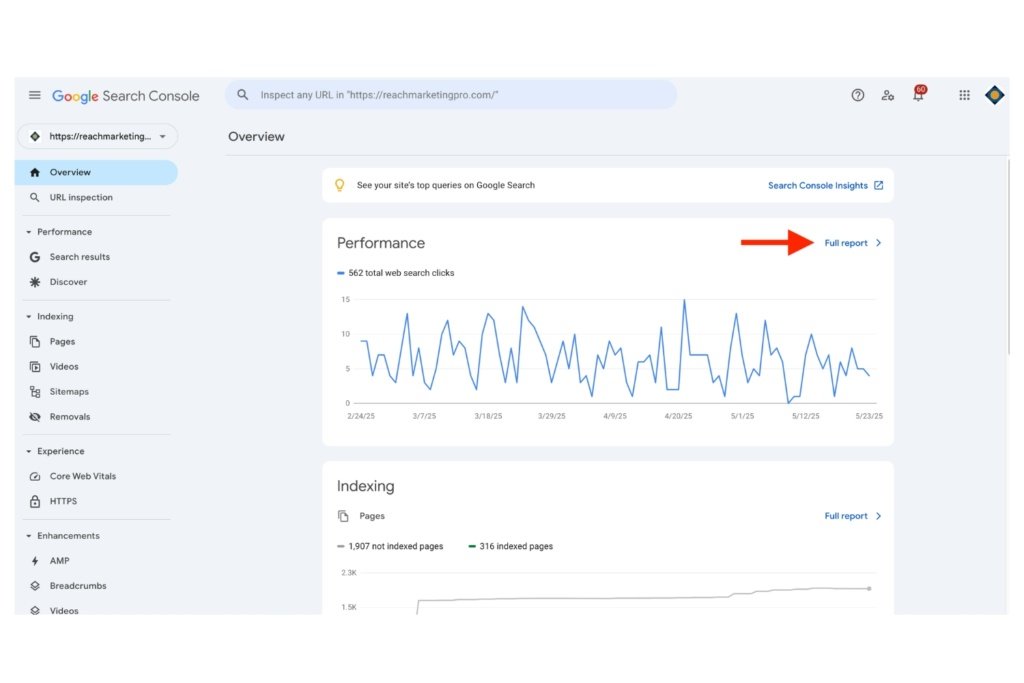
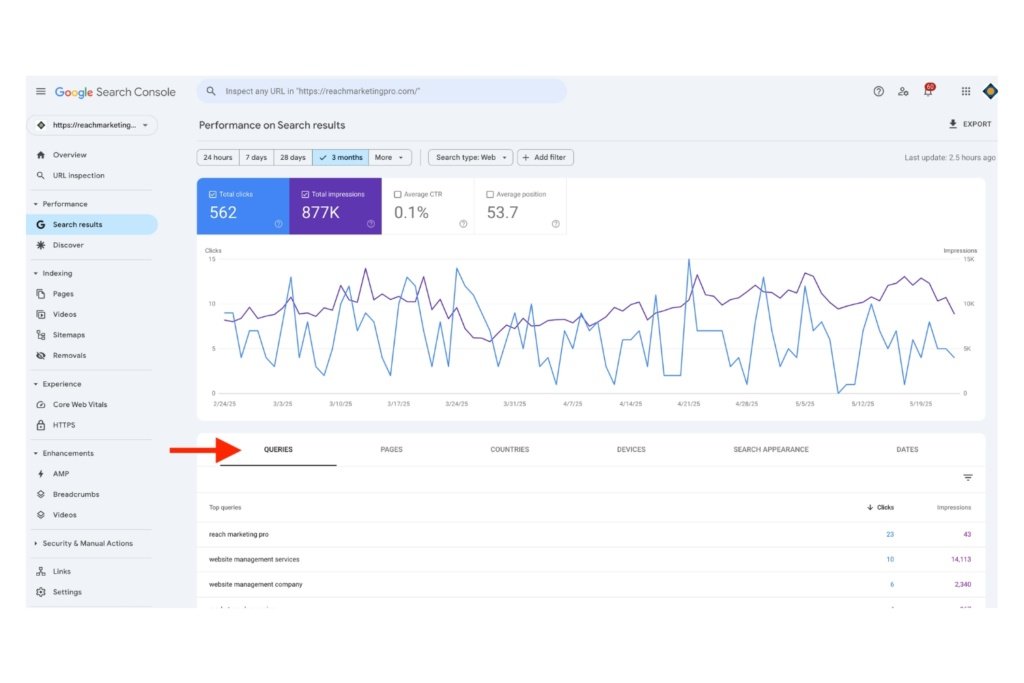
Google Search Console: Look at impressions, clicks, and positions for real-time organic search data of your content
SEMRush: Check rankings and keyword gaps against competitors to measure comparative content performance on search engines
From there, you’ll know which areas of your web content strategy are working and aspects to improve for ongoing optimization.
Work With a Content Marketing Team to Maximize Your Strategy’s Success
A successful web content strategy requires a comprehensive understanding of your site’s analytics and target audiences, with heavy time commitments. Let us help you with the workload.
At Reach Marketing Pro, we’re a full-service digital agency with extensive experience in all aspects of web content marketing. From optimizing existing website content with site designers to creating data-driven blogs with SEO writers and producing custom branded visuals with graphic designers, we can strengthen your content strategy.
Ready to see better results from your site’s content?
Interested in integrating the IndexNow WordPress plugin? This can be an easy and efficient way to significantly strengthen your site’s SEO performance for many reasons.
From automated website indexing on multiple participating search engines to real-time status tracking with notifications and optimization recommendations, it helps ensure your content is always found by target audiences.
Learn more about the IndexNow API, the benefits it offers, and how to integrate it into your WordPress CMS step-by-step.
Understanding the Benefits of the WordPress IndexNow Plugin for Optimal SEO Results
There are several SEO advantages to using IndexNow on WordPress, including:
Automated Website Indexing for Quicker Search Engine Visibility
While you can request website pages for indexing on Google Search Console, an automated content indexer can significantly speed up the process. You don’t need to manually submit pages for indexing one at a time whenever you update or add new content. The WordPress IndexNow plugin will do it for you.
It instantly notifies all participating search engines, including Google, to help them index and crawl your content faster. Where manual indexing could take 14+ days for search engines to discover WordPress site changes, the IndexNow plugin can do this within minutes, depending on the content length and design.
There’s even an auto-updating sitemap feature that refreshes your sitemap daily when enabled. Static plugins like Yoast and RankMath only do this when you edit a post and don’t account for real-time changes without wasting your crawl budget—so users can see them in the search results quicker.
Streamlined Failed URL Submissions for Faster Indexing
Search engine crawl bots aren’t always able to index your website pages the first time around, and you must be able to catch that to ensure your SEO content is found.
Failed indexing requests can include:
Slow server response times
Sitemap formatting issues, like HTML over XML, duplicate content, and non-indexable pages (noindex, blocked by robots.txt)
Keyword cannibalization (multiple pages with the same target keywords)
The WordPress IndexNow plugin automatically re-requests failed URLs for indexing and notifies you instead of tracking their status manually in Google Search Console. It makes it easier to maintain your website for potential errors.
Exclusive IndexNow Plugin Insights for Website Optimization
The IndexNow API offers exclusive indexing metrics for your WordPress site that you won’t get anywhere else. These include failed, successful, and all pending submitted URLs. This feature allows you to track their status in real time.
That way, you can fix potential issues faster with their optimization tips and ensure your site is always discoverable for a greater content marketing ROI.
Easy & Free WordPress CMS Integration for a Simple Setup
You don’t need a web developer to integrate the IndexNow plugin on WordPress. It has a simple click-to-download process within the CMS—no technical skills or third-party sites required. Not to mention, it’s also free!
IndexNow WordPress Plugin Integration: A Step-by-Step Guide
Now that you know the benefits of using the IndexNow API, here’s how to integrate it into your WordPress CMS:
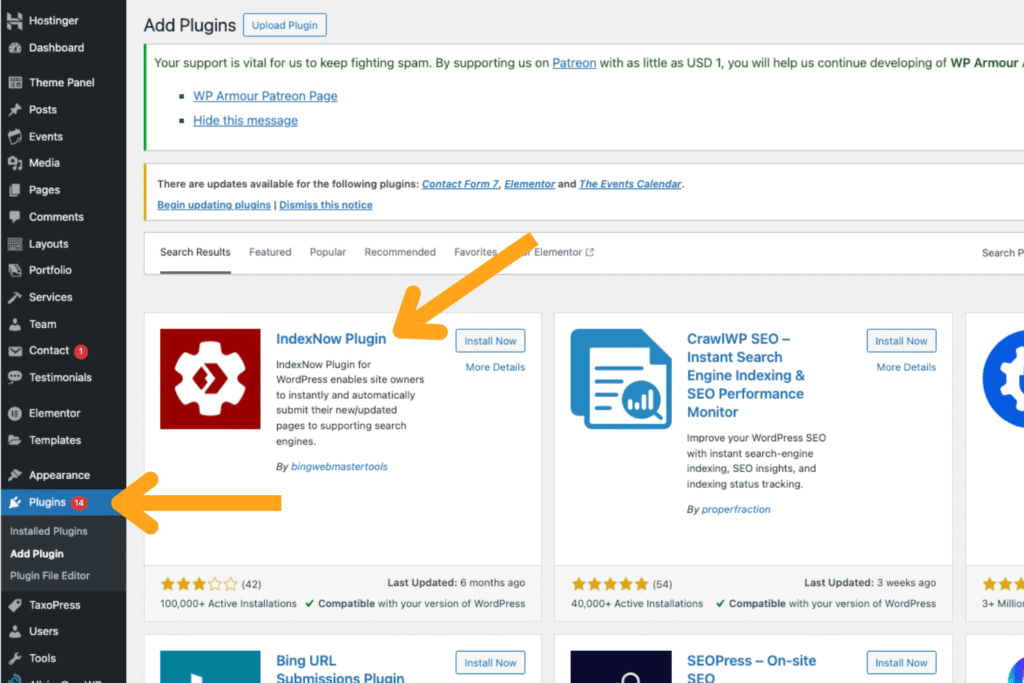
Log In to the WordPress CMS Dashboard & Click Plugins
Like the Apple App Store on your iPhone, WordPress has a similar plugin directory within its CMS. All you have to do is log in and click Plugins from the home dashboard to find the IndexNow API.
Search for the IndexNow API in the Plugins Directory
Once you find the Plugins library, enter IndexNow in the search bar to find it. Once it appears in the list of related results at the top, click on it to start the integration process.
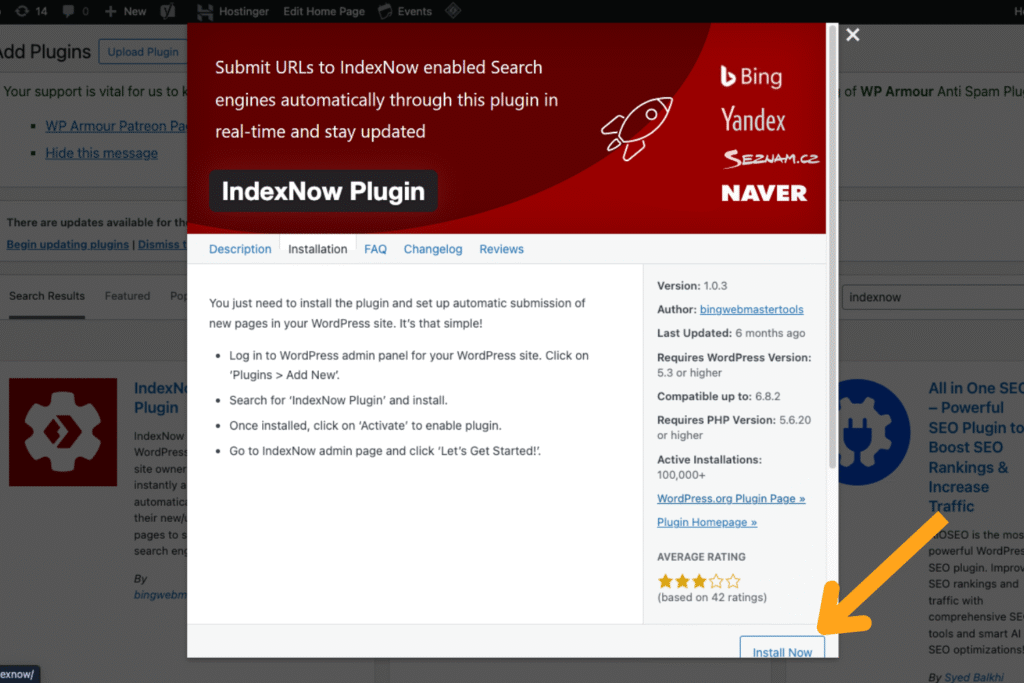
Activate the IndexNow Plugin
As we mentioned above, integrating IndexNow on WordPress is an easy, click-based process. Simply click Activate, and it’s immediately integrated into your CMS. However, you must be an admin to do this, as there are user restrictions.
Configure the IndexNow Plugin
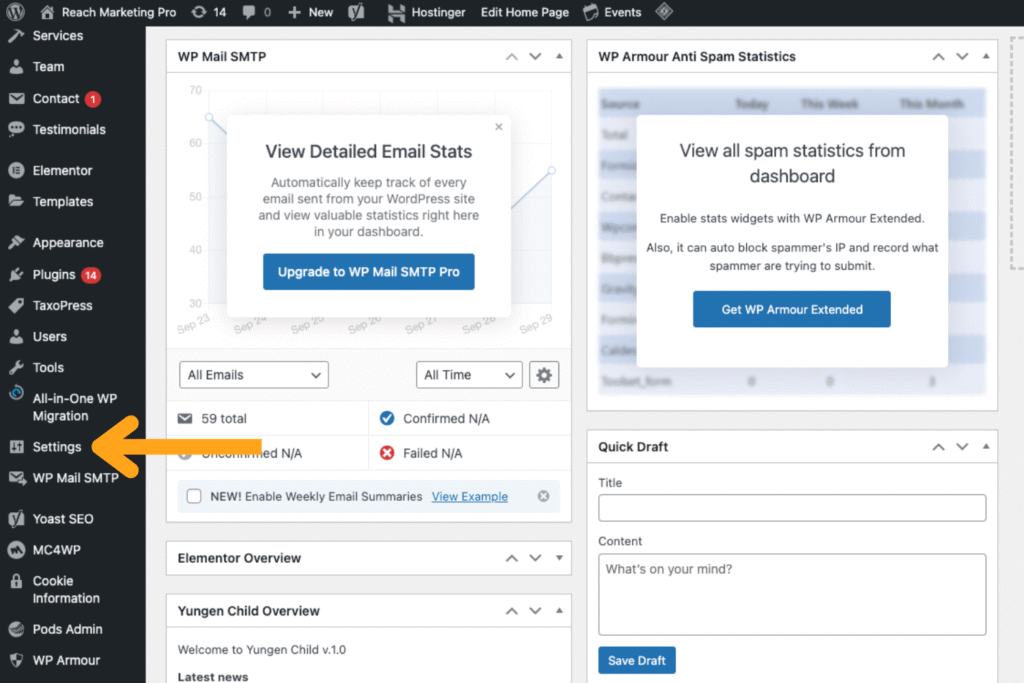
The last step in the integration process is configuring the IndexNow plugin, which is also easy. On the left-hand menu of the WordPress CMS dashboard, go to the Settings section. From there, you’ll find the plugin set up with its plugin metrics displayed. Click Get Started, and then it’ll automatically generate a new API and configure it for you.
That way, you’ll get automated website indexing, and the IndexNow metrics are integrated into your site. Done!
A Stronger SEO Strategy Starts Here: Maximize Your WordPress Site’s Visibility with Full Optimization
While the IndexNow API is a great way to index and optimize your WordPress site with their recommendations, sometimes there are technical issues that need to be addressed—or many of them if you have a large and unoptimized website. From sitemap formatting errors to keyword cannibalization, IndexNow can’t fix them for you and only tells you what’s wrong.
At Reach Marketing Pro, we’re a full-service digital marketing agency in all aspects of sitewide optimization on WordPress. We have a team of website developers, site designers, and SEO copywriters to help your content get discovered. We’ll continuously monitor and optimize your website for maximum search engine visibility.
Yes, IndexNow is a Google indexor tool, plus all participating search engines, like Bing.
Is IndexNow Worth It?
Yes, the IndexNow API is worth it for several reasons. From automated website indexing to real-time status tracking and exclusive plugin metrics with optimization recommendations, it can significantly streamline and strengthen your site’s SEO performance.
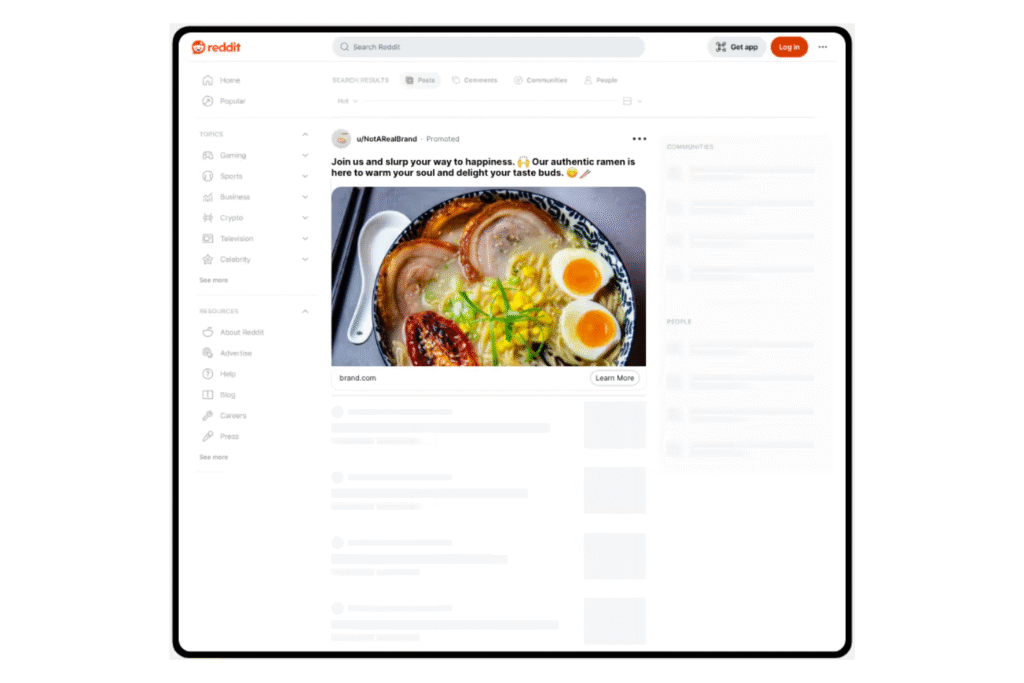
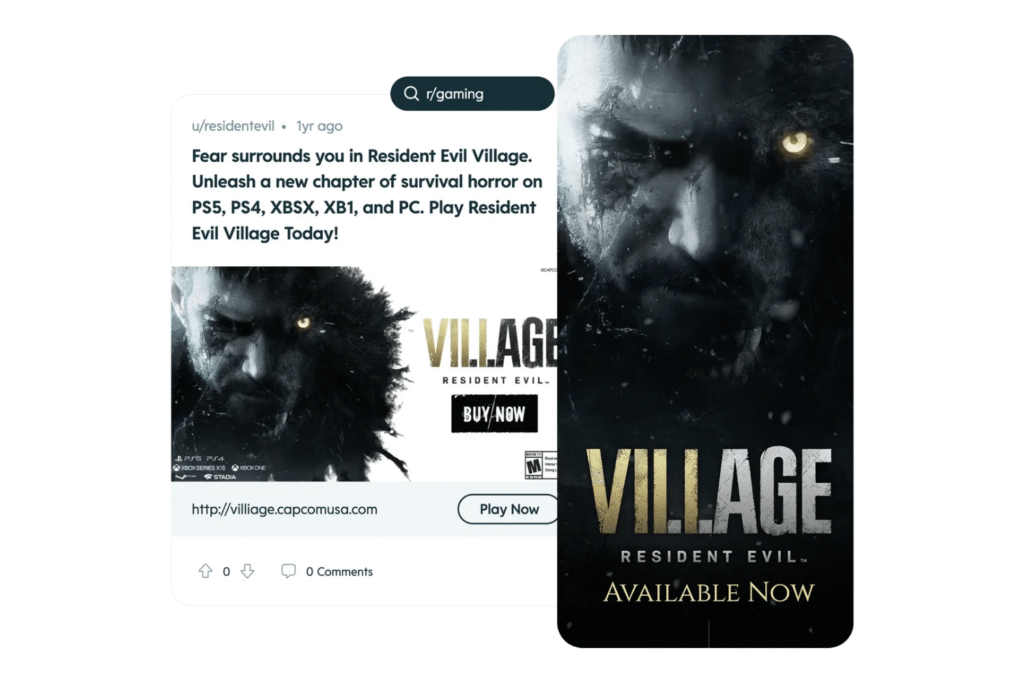
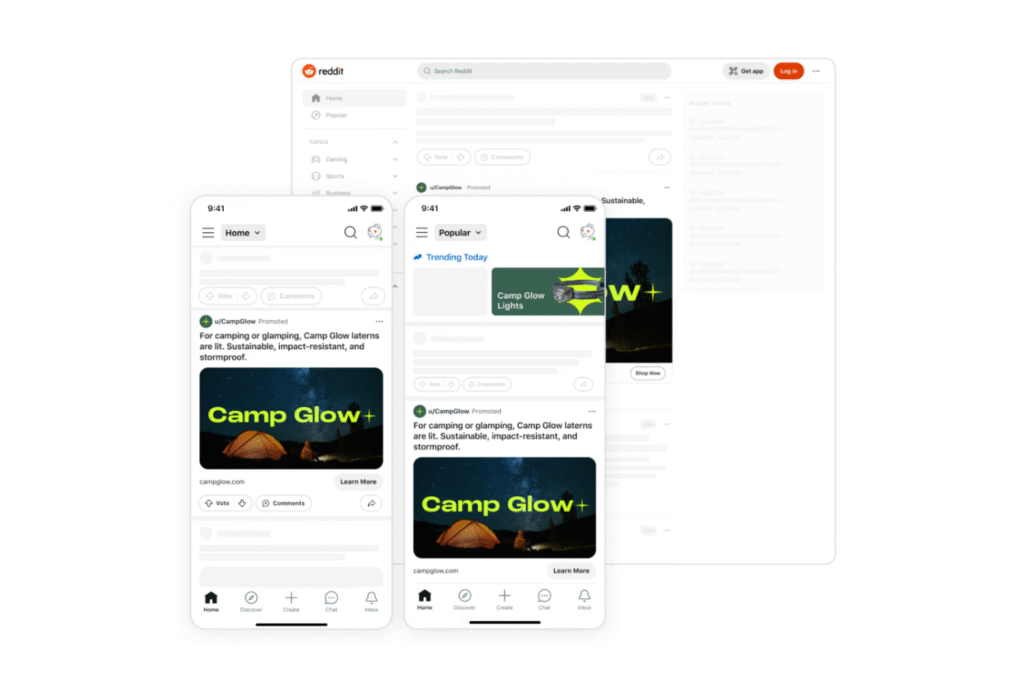
Reddit advertising is different than your traditional paid search and social media ads. As a forum website, it’s a conversational thread platform that requires unique ad formats, audience targeting, and campaign strategies. Here’s how to navigate the Reddit ad platform with best practices and examples to maximize your campaign’s success.
Reddit Advertising: Understanding the Benefits, User Demographics, & Ad Formats
Reddit advertising offers several advantages for brands seeking to target younger audiences who are tech-savvy and actively search for information online.
According to studies, the key Reddit user demographics in 2025 are:
44% are 18 to 29 years old
Nearly 60% identify as male
Almost 50% of daily active users are in the U.S.
U.S. user ethnicities are 36% Asian, 23% Hispanic, 21% White, and 14% Black
What makes Reddit different than other social networks is its forum-based format, where users can be anonymous. Known as subreddits, it creates in-depth community discussions in the comment sections of a user’s post. People (Redditors) share their real feedback or questions on specific trending topics that matter to them most, like news, sports, and products.
However, everyone must follow subreddit rules and guidelines.
Each subreddit has one or moderators who can remove obvious promotional comments. Redditors can even downvote your subreddit comments and feed posts—so Reddit advertising best practices must be educational and thought leadership-focused. On the upside, people can also upvote, increasing your total Karma and strengthening your brand’s trustworthiness.
This online culture naturally creates more authentic engagement and social proof. Companies can join niche conversations relevant to your industry that aren’t a sales pitch, but by sharing your expertise. When 46% of Reddit users are more likely to trust brands that advertise there, it can be a powerful platform for your social media strategy.
Reddit Ad Types: Differences, Examples, & When to Use Each
There are different types of Reddit ad formats to understand first before you start spending your budget. Below, we’ll break down each one, what they look like, and how to decide which is best for your social ad strategy.
Promoted Posts
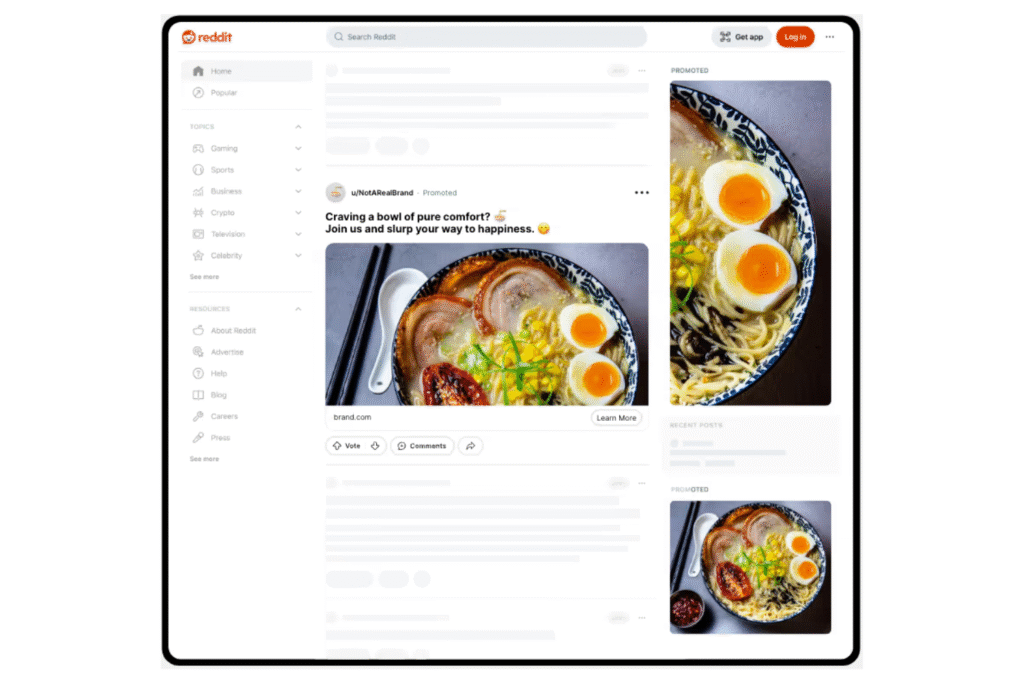
Promoted posts are a Reddit ad format that shows in a user’s feed. These ads are posts you create and appear to people scrolling outside of subreddits, like other social media feeds.
There are seven types of Reddit promoted posts:
1. Free-Form Ads
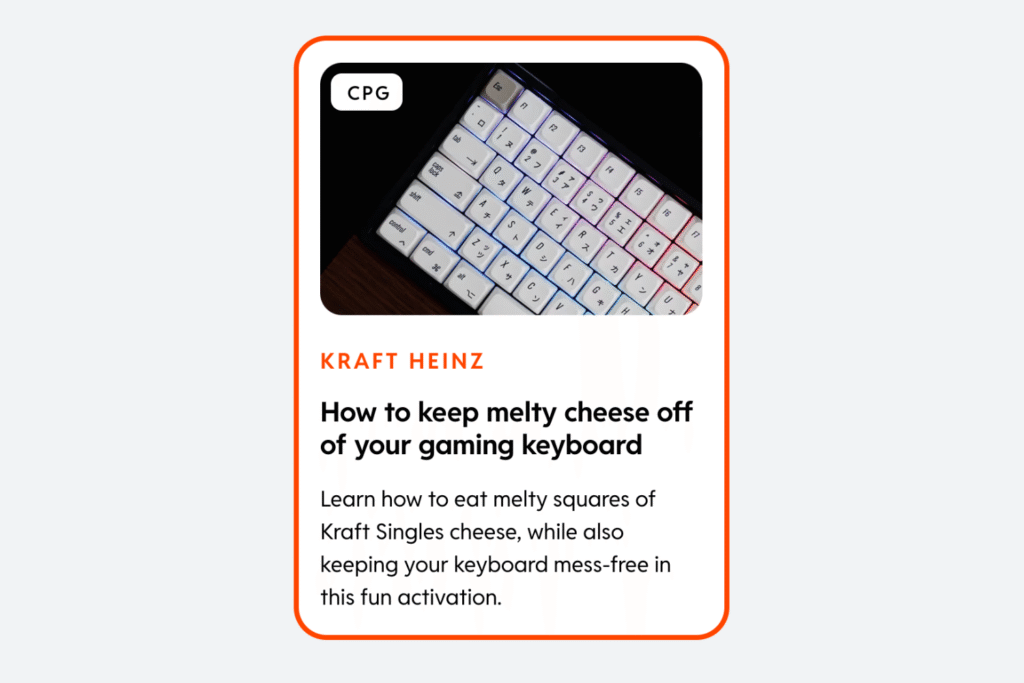
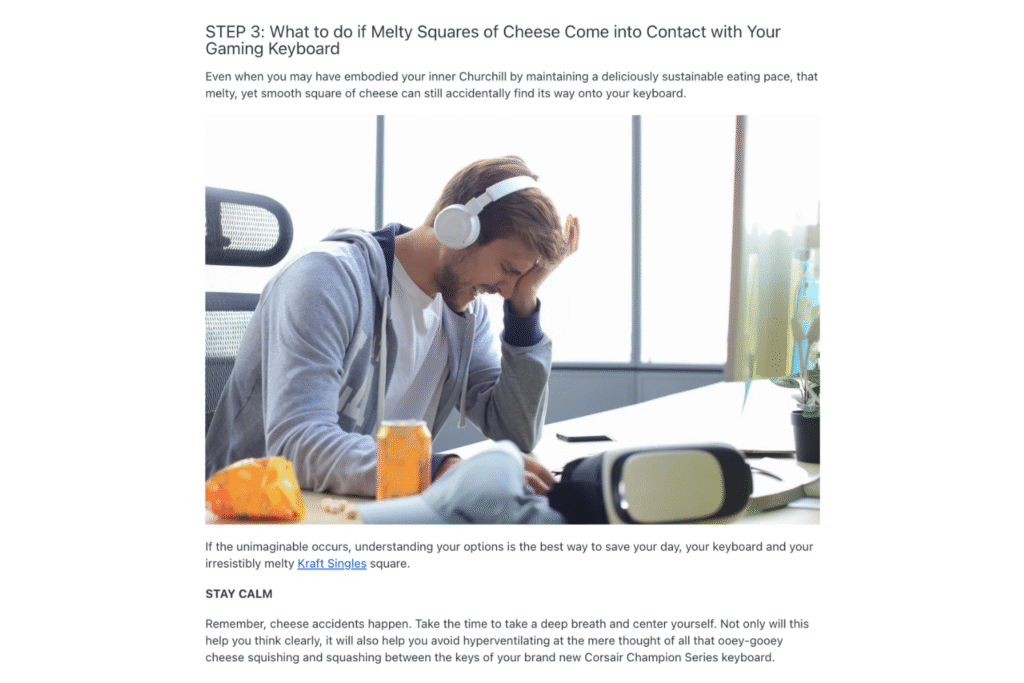
Source: Kraft Heinz
Reddit free-form ads are the most unique format offered. You can use GIFs, videos, images, headings, and a text summary all in one ad—which isn’t a feature on any other social media platform. It’s a creative way to post high-quality long-form ads that capture young Redditors’ attention. There are also templates available with pre-designed layouts to help you get started.
Some tips for making Reddit free-form ads include:
Add a TL;DR (Too Long; Didn’t Read) Section
Source: Kraft Heinz
A TL;DR is a short section that summarizes your ad’s key points. This feature helps attract people who want a preview because Reddit free-form ads are long-form, known as megathreads.
Use Language & Tones That Resonate With Your Target Audience
Source: Kraft Heinz
Whether it’s cheeky humor or conversationally authoritative, use the language and tones that cater to your target Redditors. Personalizing your Reddit free-form ads helps increase their engagement while fostering the platform’s community-first culture.
Make Megathreads Easy to Read
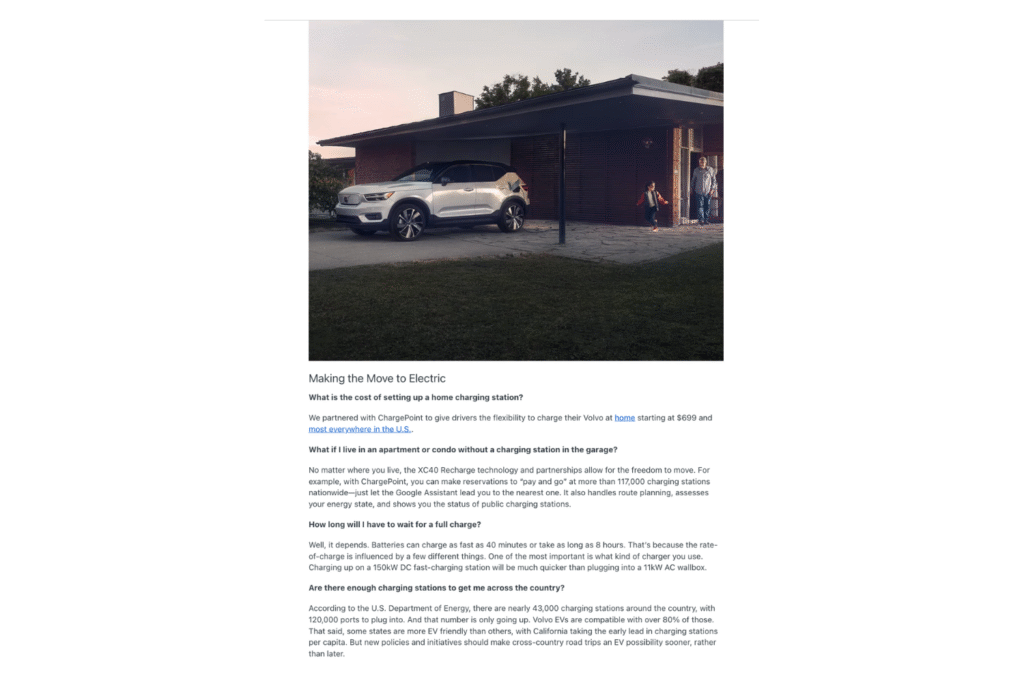
Source: Volvo
The long-form nature of Reddit free-form ads must have easy readability. Break up your megathreads with headings, space breaks, bullet points, and relevant visuals to organize your ad so Redditors can absorb the information without feeling overwhelmed.
This format is similar to how you’d structure SEO content, like blogs or pillar pages. Although it’s a deep dive type of advertising, keep the information clear and concise with keyword targeting so relevant Redditors can find your post.
Get Creative With Your Visuals
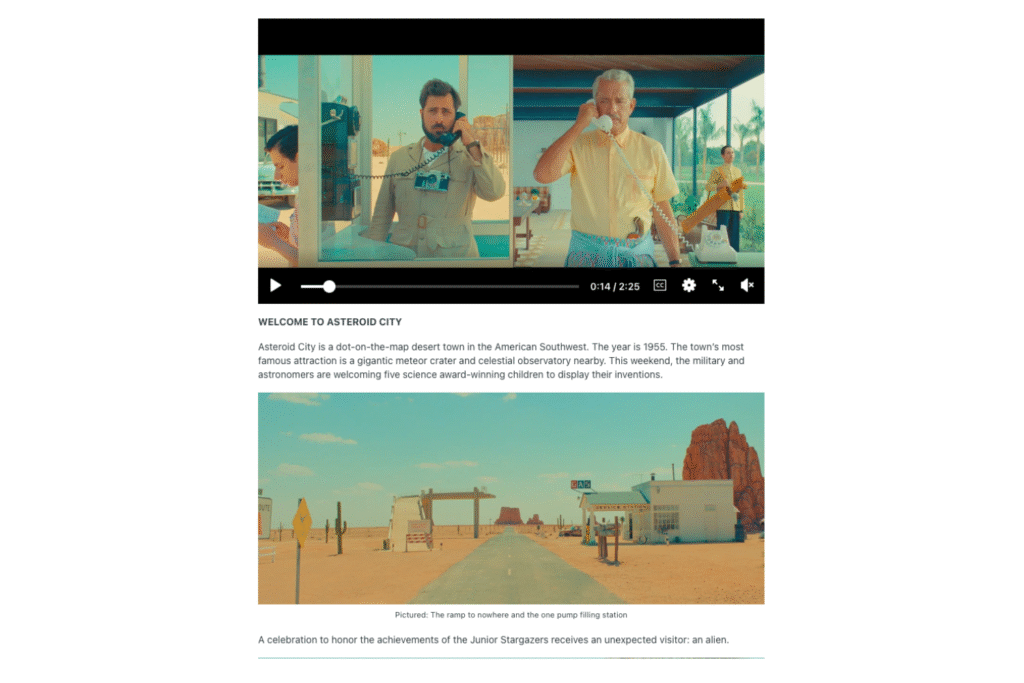
Source: Asteroid City MovieSource: Asteroid City Movie
Because Reddit users are a younger demographic, using compelling visuals is crucial to grab their attention. Use GIFs to show off your new clothing collection in different angles, image carousel graphics of the latest dashboard updates to your software, or recap videos of your annual events to promote your upcoming one.
2. Image Ads
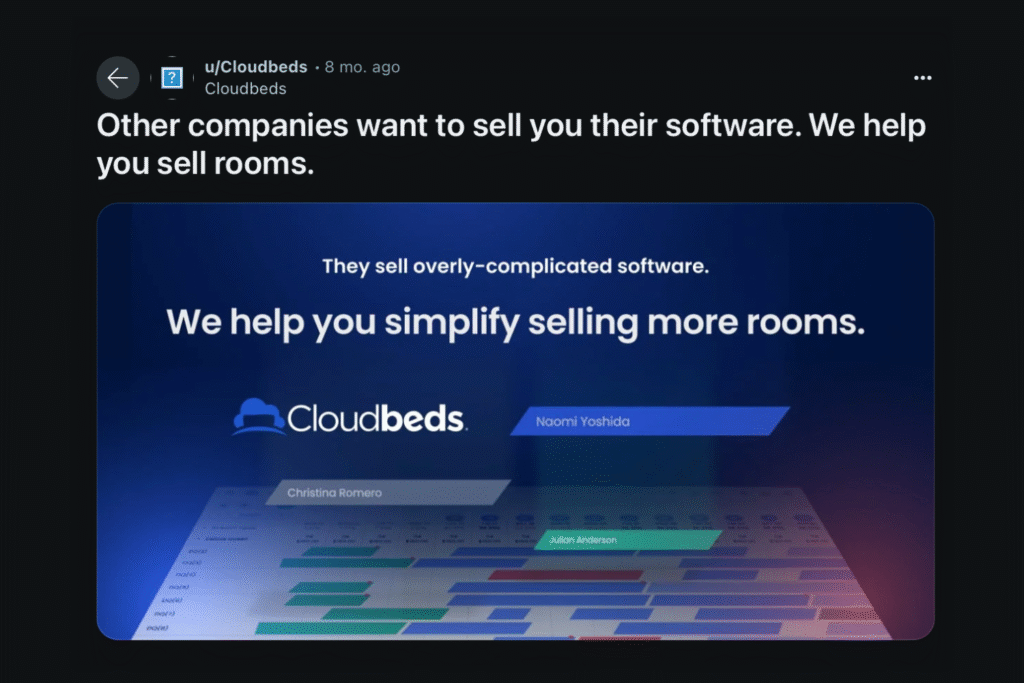
Source: Cloudbeds
The next type of Reddit-promoted posts is image ads. These are more straightforward, like your traditional type of social ad posts. It has a single static image with short-form text and a headline that’s shown in Reddit feeds. People can click on the image or text that directs them to your Reddit page. They can also engage with the ad by voting, commenting, and sharing.
Some tips for making Reddit image ads include:
Use an eye-catching image that stops people from scrolling past
Keep the text short, impactful, and clearly explain what you’re offering
Optimize the ad for mobile devices with a 4:3 aspect ratio, balanced white space, and uncluttered graphics
Reddit image ads are a simple yet effective way to target users in all stages of their buyer’s journey.
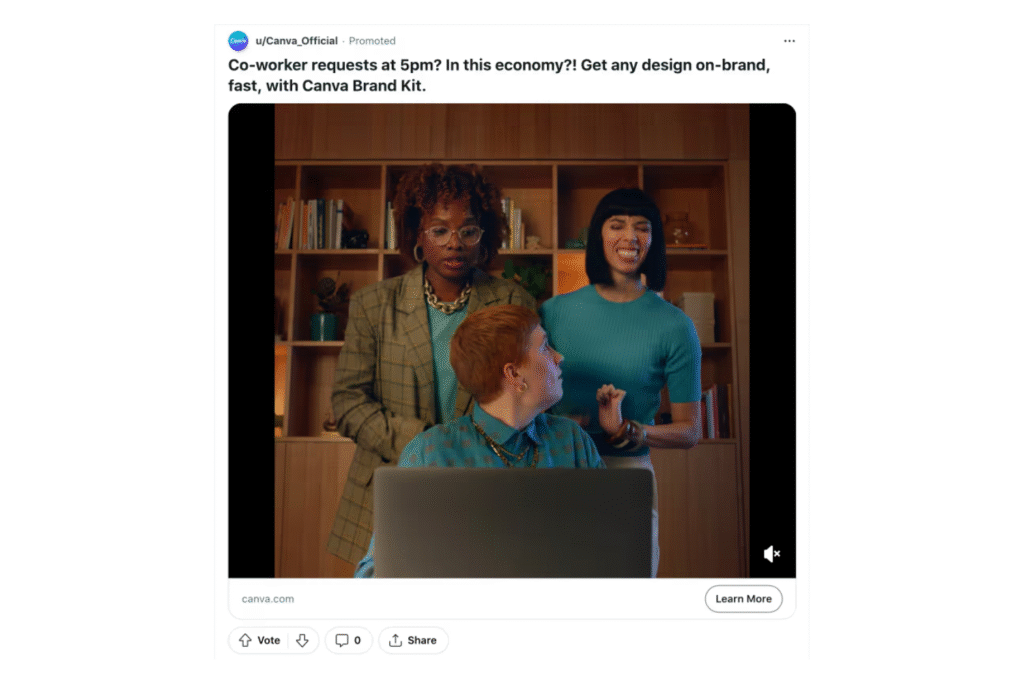
3. Video Ads
Source: Canva
Reddit video ads have the same format as image ads, except for the visual. They’re designed to hold user attention longer with immersive storytelling via video. According to Reddit, their video ads have a 17% increased click-through rate for videos longer than a minute.
Some tips for making Reddit image ads include:
Make your videos at least 60 seconds long
Use a hook statement in the headline
Add a strong call to action
Reddit video ads are an effective strategy to leave a lasting brand impression on your target audience.
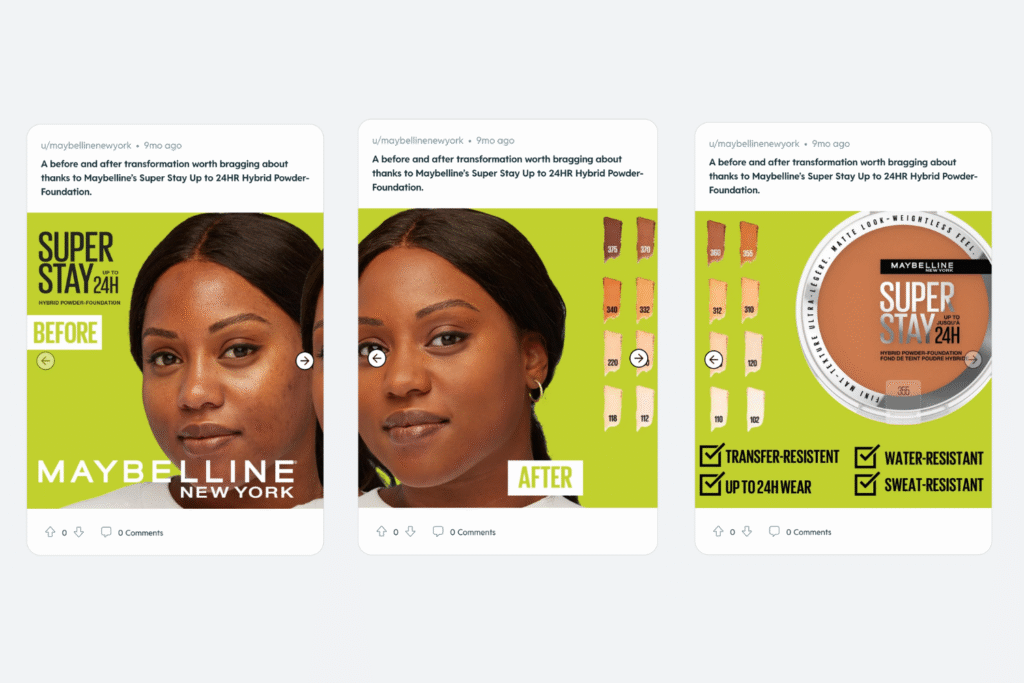
4. Carousel Ads
Source: Maybelline New York
Reddit carousel ads have the same format as image and video ads, except for the visual, by combining both. It uses step-by-step storytelling by allowing people to swipe through the ad’s multiple visuals.
Some tips for making Reddit carousel ads include:
Put the multiple visuals in chronological order
Keep the text short, clear, and concise
Use the last visual as a call to action
Reddit carousel ads promote more engagement because they’re interactive and dive deeper into your brand or product without the long-form structure of megathreads.
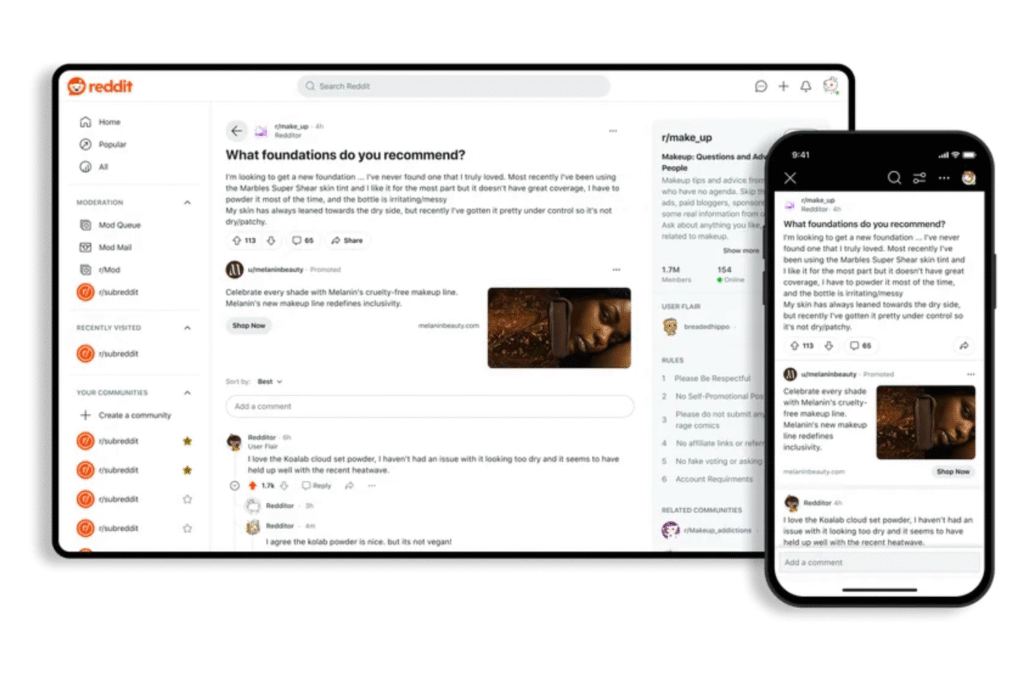
5. Conversation Ads
Source: Reddit
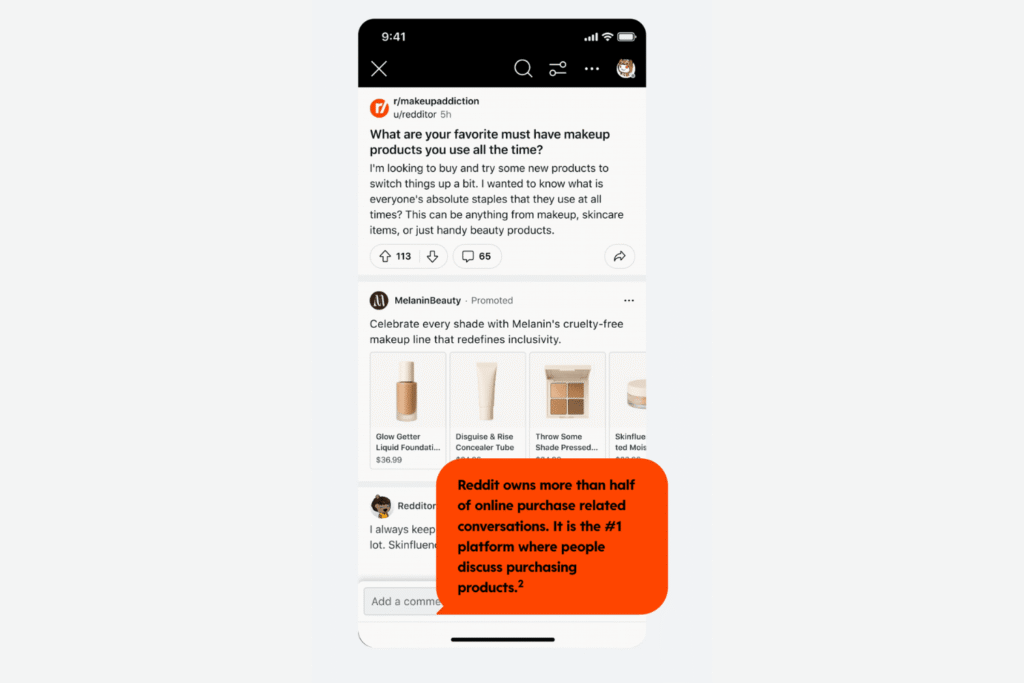
Reddit conversation ads are a different type of promotional post because they’re shown within a subreddit’s comment threads versus a user’s feed. They can be placed below the post or between the comments. However, the format is the same as image or video ads with one visual and text.
Some tips for making Reddit conversation ads include:
Place your ad in relevant comment threads that contextually make sense to the subreddit topic
Find relevant comment threads with niche targeting in communities, interests, and keywords
Use short, impactful text with a compelling visual and call to action
Reddit is built on community conversations. When 47% of users spend time in comment threads, conversation ads can find and engage with your target audience by becoming part of the discussion or starting a new one.
According to Reddit, conversation ads can increase brand awareness by 83% and have a 5.46% higher action intent for campaigns that run feed and conversation ads over feed ones alone.
6. Product Ads
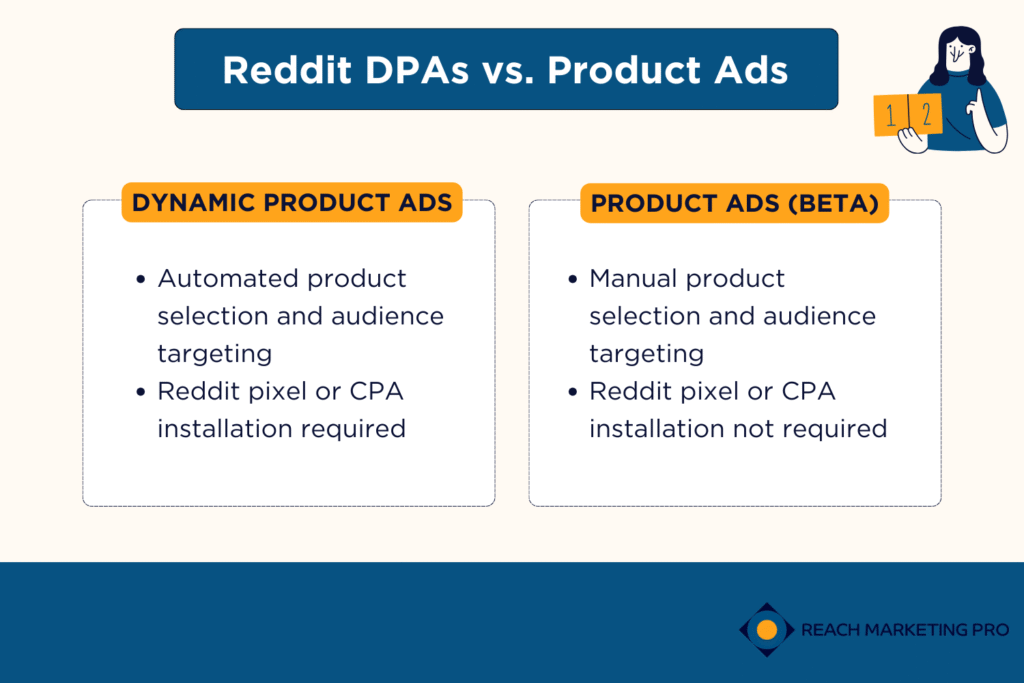
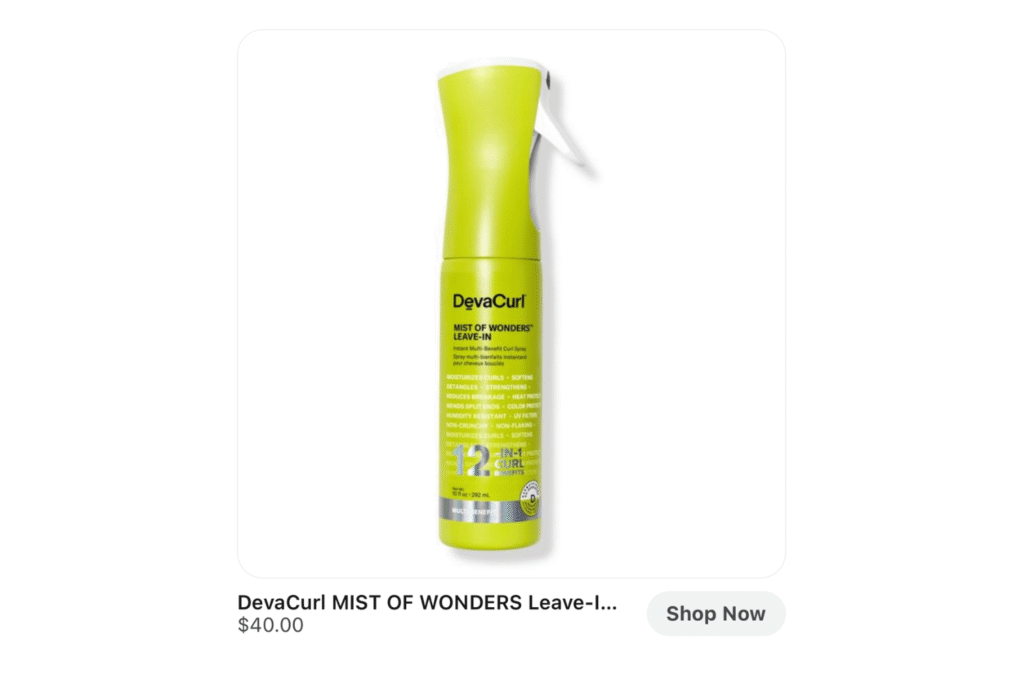
Reddit product ads, also known as Shopping Ads, target high-value shoppers to help drive conversions. There are two types of Reddit product ads: Dynamic Product Ads (DPAs) and Product Ads (Beta).
Reddit DPAs and product ads are similar to the rich results you see in Google Shopping Ads, where users can see your product catalog. Like conversation ads, they’re also placed in the subreddit threads below the post or between the comments.
Dynamic Product Ads
Source: Reddit
Dynamic Product Ads (DPA) are when Reddit automatically chooses what product is displayed, when it appears, and who it’s shown to from your catalog. This ad format is best for lower-funnel shoppers because it’s placed in subreddits’ comments that Redditors join, and aren’t intentionally looking to buy.
Some tips for making Reddit DPAs include:
Provide detailed product descriptions and as many attributes as possible so Reddit’s machine learning can better match them from catalog-rich metadata
Combine feed and conversation ad placements to maximize reach and performance
Use a CTA in the headline that’s relevant to the point of the ad
Build an audience pool with the prospecting and 30-day lookback window features to optimize campaign performance and retargeting
If you want to run DPAs, you must install a Reddit pixel or conversions API so that Reddit can securely receive your server’s conversion event data.
Product Ads (Beta)
Source: Ulta Beauty
Product Ads (Beta) are when you manually choose the product that’s displayed, when it appears, and who it’s shown to from your catalog. This ad format is also lower-funnel, but it’s best if you’re more familiar with the Ads Manager dashboard and want more control over the products to focus on in your campaign.
Some tips for making Reddit product ads include:
Pair it with Reddit’s targeting options (community, interests, keywords) to ensure relevant ad placement
Pick appropriate products from your catalog that are relevant to the subreddit topic
Optimize your product metadata with relevant keywords for maximum reach
You don’t need to install a Reddit pixel or conversions API to run beta product ads.
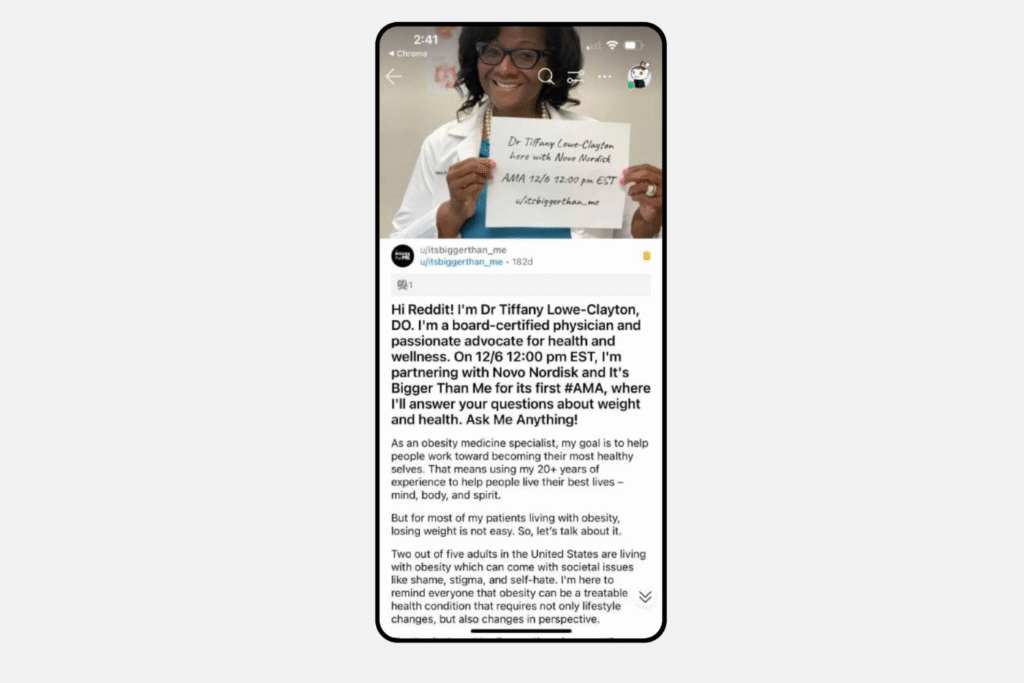
7. Ask Me Anything (AMA) Ads
Source: Reddit
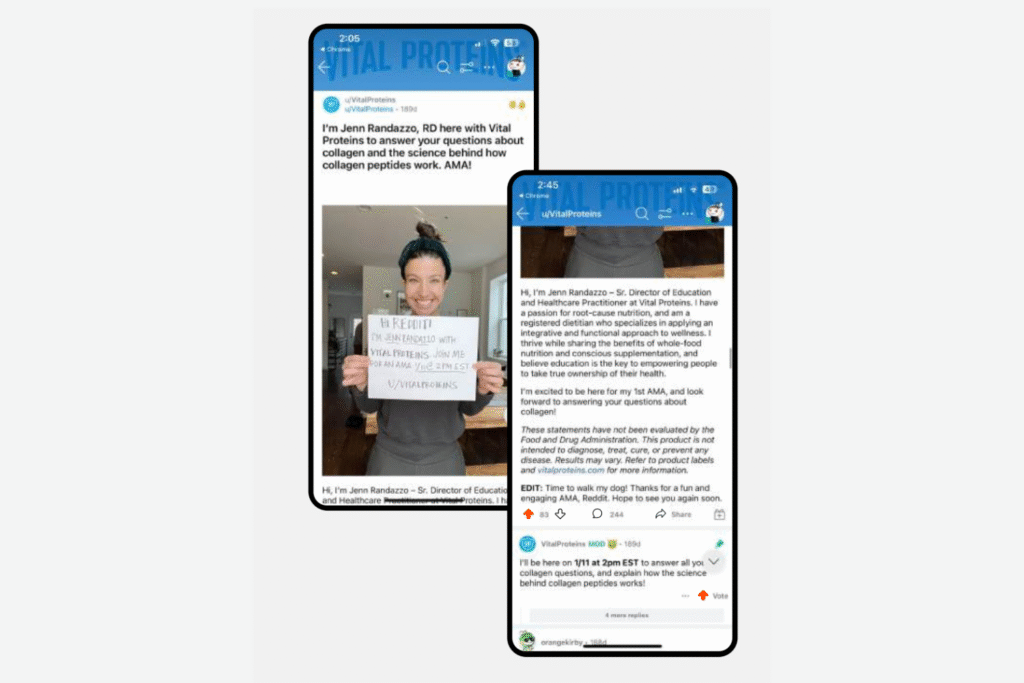
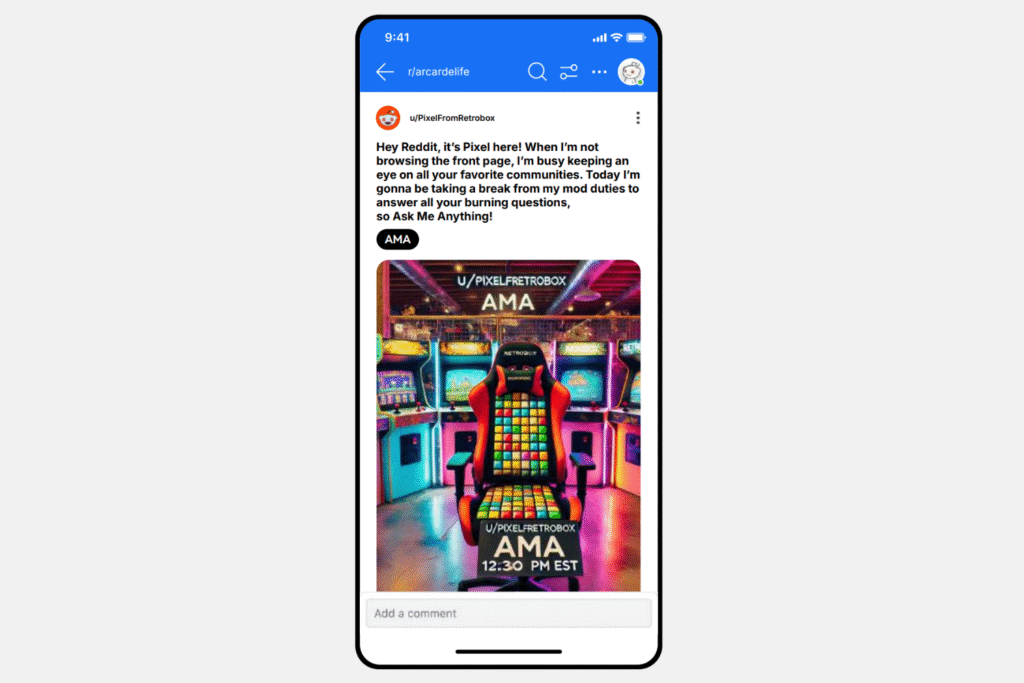
The last type of Reddit promoted post is Ask Me Anything (AMA). These are exclusive to Reddit and can be used as organic posts or transformed into AMA ads, which can be placed in main feeds and subreddit threads.
What makes AMA ads especially unique is that it’s a one-on-one interactive experience where anyone can connect with experts or people with niche perspectives. An informal question is posted by a Reddit host (you or someone else), and users dive into answer sessions in the comment thread below.
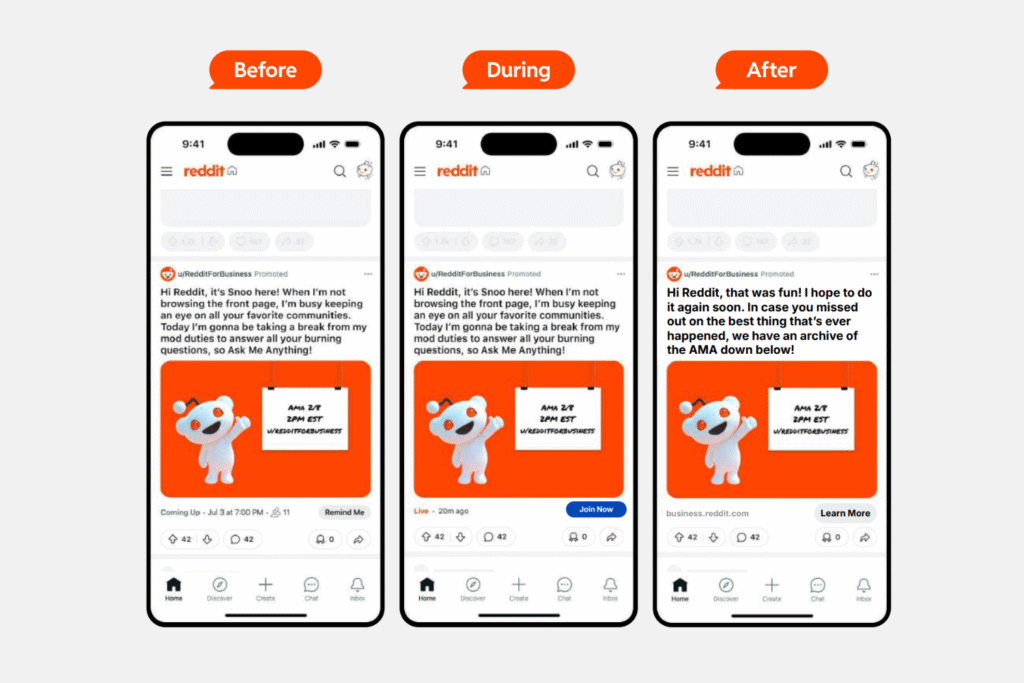
Reddit formats AMA ads like a promoted event. The host can create a pre-AMA ad five dates in advance with “Remind Me” sign-up alerts, RSVP features, and go-live/end dates. Redditors can submit questions before the AMA ad begins to promote further engagement and participation. Co-hosting is another option where you can invite collaborations from your team to manage.
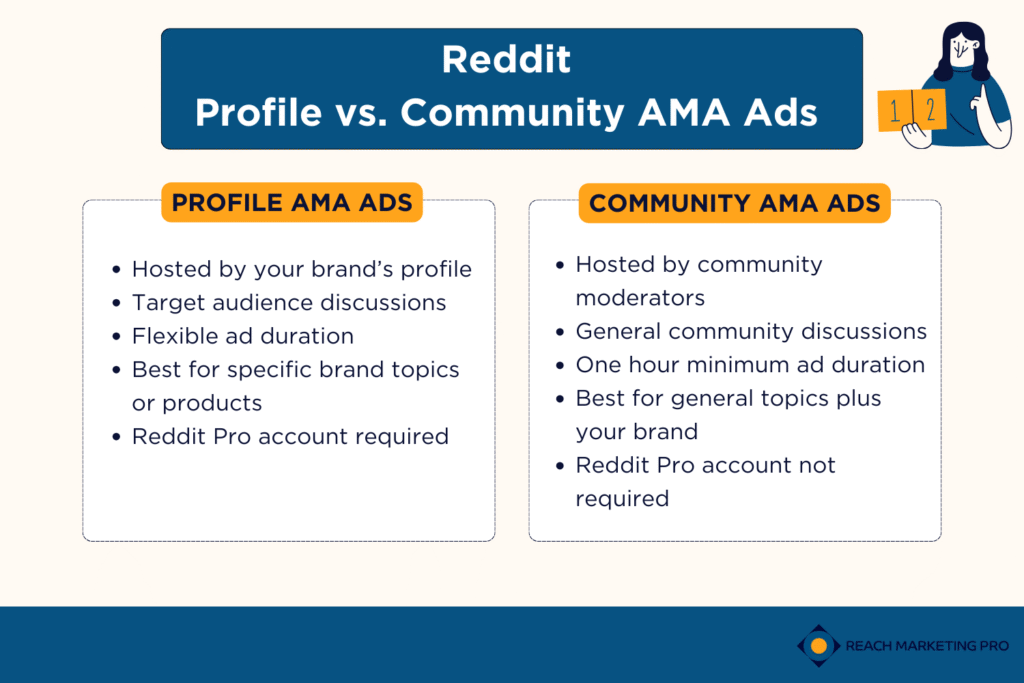
There are two types of AMA ads:
Profile AMA Ads
Source: Reddit
Profile AMA ads are hosted and posted from your brand’s profile with full ownership and a non-customizable headline because it’s re-purposed from an organic AMA post you create. It relies on paid promotion to drive viewership and participation, with a flexible time duration. You must have a Reddit Pro account to create Profile AMA ads.
This ad format is best for creating open dialogue with the general Reddit community.
Community AMA Ads
Source: Reddit
Community AMA ads are hosted and posted in a subreddit where Reddit facilitates communications between you and the moderators with a customizable headline, and must last at least an hour. It allows you to connect with existing community members within your target audience. You don’t need a Reddit Pro account to create Community AMA ads.
This ad format is best for broader conversations related to your brand, like special announcements.
AMA Ads Tips
Source: Reddit
Some tips for making Reddit AMA ads include:
Customize your profile with your brand’s look ahead of its scheduled time (colors, font, logo)
Promote the ad early to build excitement and increase attendance
Create multiple headlines before, during, and after community AMA ads
Use casual language and avoid plugging your product when answering questions
Mix up responses with short and longer answers—and prepare those in advance!
Sort questions by Best, Top, and New to answer as many as possible
Allocate your ad budget in three phases–40% for pre-launch, 20% during, and 40% post-launch
High-Impact Offerings
Now that you know all seven promoted posts, the second Reddit ad format is high-impact offerings. They combine various ad formats and placements into one high-performance ad. They’re placed first on a Redditor’s home page, feed, search page, popular page, and more.
There are five types of high-impact offerings available:
1. Front Page Takeovers
Source: Reddit
The Front Page Takeover high-impact ads show your brand in the first spot on Reddit’s Home and Popular pages for 24 hours. These pages are the first things Redditors see on their feeds when visiting the site.
Some tips for making Front Page Takeovers include:
Use action-focused headlines that are concise and uncluttered
Add eye-catching visuals that encourage users to stop scrolling
Consider different types of visuals, like videos or carousels, to promote ad engagement
As a top and centered ad placement across all platforms and desktop banners, businesses can see a 68% increase in conversion rates.
2. Trending Takeovers
Source: Reddit
The Trending Takeover high-impact ads showcase your brand on Reddit’s Popular page and search feed for 24 hours. The difference with this type of Takeover ad is that it integrates into the day’s trending subreddits and topics with a tailored landing page and custom-selected keywords.
Some tips for making Trending Takeovers include:
Plan top-funnel ad campaigns, as these ads are designed to drive visibility and brand awareness
Hypertarget the trending conversations you want to participate in to maximize the higher budget requirements to run this ad (estimated minimum of $100,000)
Invest in high-quality visuals and copy to maximize the content marketing ROI of these high-impact ads
You can amplify your brand by placing your Trending Takeovers into the hottest discussions among target Redditors without sharing the ad placement with any other business. However, you must reserve this ad package with a Reddit sales rep to get started.
3. Reddit Takeovers
Source: Reddit
The Reddit Takeover high-impact ads are shown on the first slot across the Home and Popular pages for 24 hours—which are the most visited pages on their platform! You won’t share the spotlight because it’s exclusive to one brand at a time. They’re versatile with several ad formats, including free-form ads, image ads, video ads, and banner ads.
Reddit Takeovers are an advertising package that combines Front Page Takeovers and Trending Takeovers. There’s even a custom trending landing page feature where users can explore the latest and most popular content, offering you premium Reddit advertising.
Some tips for making Reddit Takeovers include:
Research niche subreddits you want to show your ads in to ensure it’s shown to relevant audiences
Keep consistent tones with the communities you want to reach to avoid sales-like language that can push users away
Segment ads by funnel stage to keep your campaigns consistent with where audiences are in their buyer’s journey
You must reserve Reddit Takeover ad packages with a Reddit sales rep to get started.
4. Category Takeovers
Source: Reddit
The Category Takeover high-impact ads are shown first to Redditors when visiting specific communities. It’s a more community or topic-focused approach compared to Reddit Takeovers. You can choose from 15 verticals, like automotive, entertainment, and consumer tech, to ensure you reach niche audiences that matter most to your brand.
Category Takeovers offer several ad placements, including first in-feed, conversations, and banners.
Some tips for making Category Takeovers include:
Integrate your brand visually with your company colors, tone of voice, and language to maximize exposure
Tailor your ad’s copy for specific audiences who are interested in your products or services to boost engagement within relevant subreddits
Track post, consideration, and conversion metrics to measure and optimize the success of your ad campaign
You must reserve Category Takeover ad packages with a Reddit sales rep to get started.
5. First Views
Source: Reddit
Lastly, the First Viewhigh-impact ads are shown at the top of Reddit’s Home and Popular pages for one day. It allows you to elevate your brand by owning the first ad impression on these high-performing Reddit pages.
The difference between First Views and Front Page Takeovers is the campaign type. First Views are designed for more targeted audiences, while Front Page Takeovers are meant for broader ones.
Some tips for making First Views include:
Add your logo in the top-left corner to match Reddit feed designs
Target specific subreddits and community interests to boost campaign performance
Test different ad formats (carousels, video, static images) to see which performs best within your niche audience
You must reserve First View ad packages with a Reddit sales rep to get started.
As you can see, Reddit advertising is comprehensive, with an extensive list of ad formats and differences to understand. Let us help you maximize your campaign’s success.
At Reach Marketing Pro, we’re a full-service digital marketing agency with an experienced team to create high-quality Reddit ads. From custom-branded creatives with graphic designers to compelling messaging with copywriters and forum experts to monitor ad metrics, we’ll ensure your strategies are optimal for your budget and bottom line.
Interested in website chatbots but are unsure where to begin? While they’re easy to use, the process to design and develop them is comprehensive. From conversation wireframes to adaptable messaging and diverse solutions needed, it can be challenging to navigate.
Here’s a step-by-step guide on how to integrate a chatbot for your website to ensure your business and its users maximize the full benefits of AI marketing.
Chatbot Best Practices for Websites: How to Build, Design, & Train Them for Optimal Performance
Although websites with chatbots are heavily automated, they still require human legwork for optimal performance. Below, we’ll break down how to design, develop, and train site chatbots for your users and why it’s necessary.
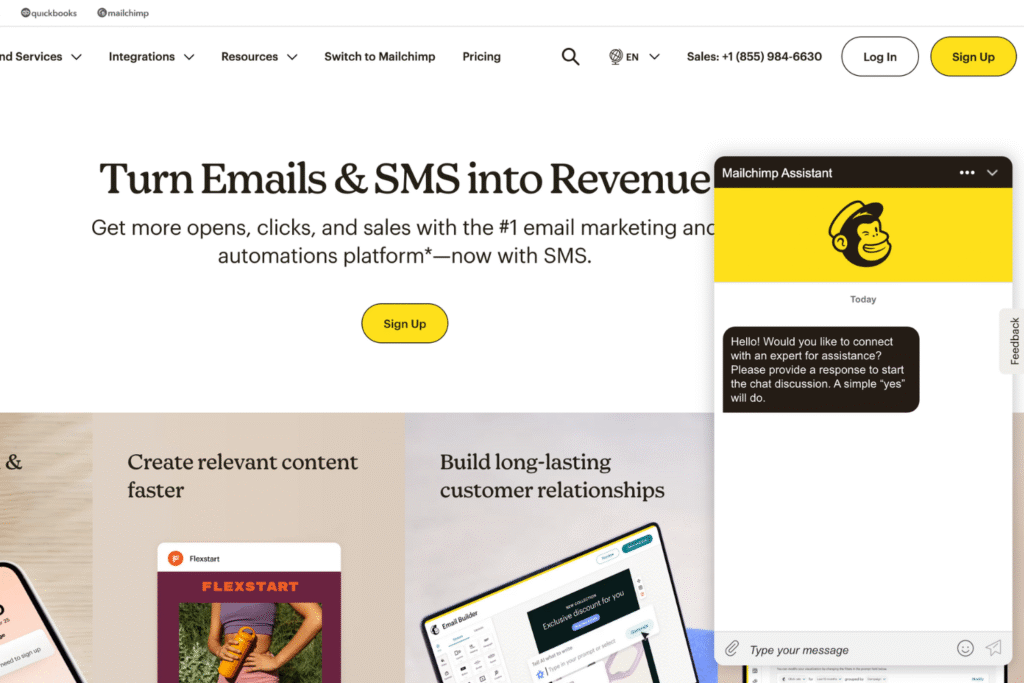
Design the Chatbot Interface
Source: Mailchimp
Your website chatbot needs to look as good as it performs. It not only ensures that it’s visually appealing and consistent with your brand, but that it also functions properly on all devices.
Some chatbot design best practices include:
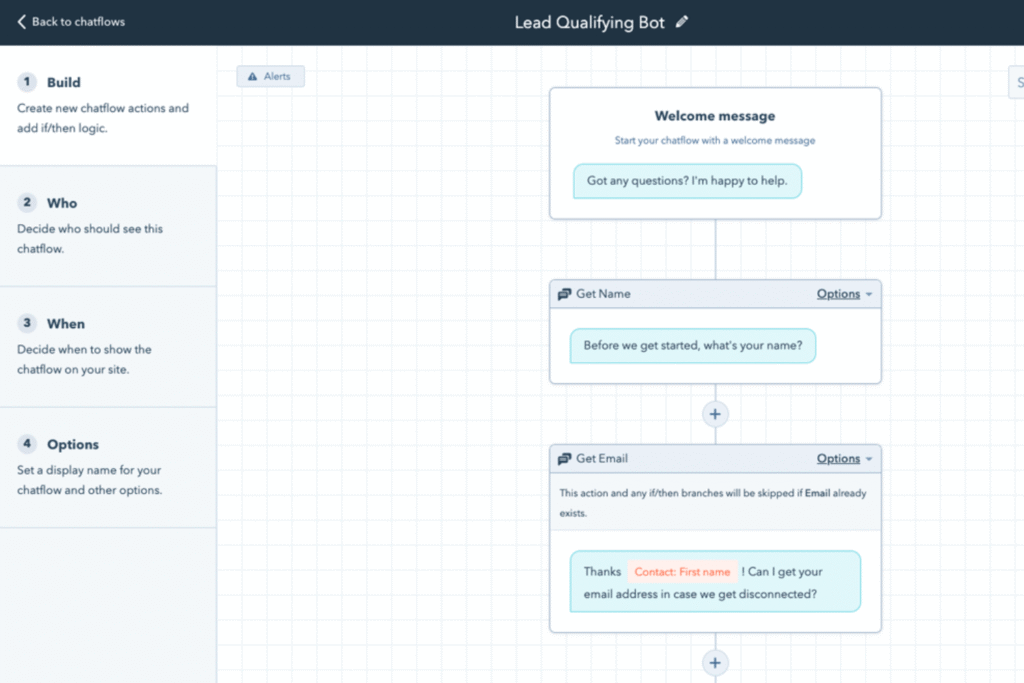
Set a chat-based system for a conversational format (activated messages, adaptable next-step buttons, uncluttered step-by-step instructions, etc.)
Use a chatbot face based on your brand (avoid human faces so users know they’re speaking to chatbots)
Add your company’s colors, font, and logo at the top (this helps keep brand consistency)
Optimize the chatbot interface for mobile and desktop to ensure a user-friendly functionality (responsive layout design, page load speed, etc.)
Keep in mind that your web design team will test these steps pre- and post-launch to continuously optimize the chatbot interface.
Customize the Chatbot Tone, Conversation Flows, & Fallback Messaging
Source: HubSpot
The most comprehensive process in AI chatbot integration for websites is how it’ll communicate with users. You’ll need to set the chatbot’s tone, create conversation flows, and provide fallback messaging based on a wide range of situations.
Some best practices for chatbot development communications include:
Decide on the chatbot personality based on your brand with natural language (friendly, emojis, professional, technical, etc.)
Input your buyer persona details so it understands your target audience (user demographics, their common questions/problems, how they often communicate, customer data profiles, etc.)
Set common chatbot conversation flows to direct users to the best next step (lead-generation messages for sales-related questions, troubleshooting messages, FAQs, etc.)
Provide conversation examples for appropriate fallback messaging (questions for chatbots to ask users for additional information if they don’t understand their message, entering prompts of different tones/phrases, adding action buttons to streamline navigation, etc.)
These key details help your web developers create chatbot wireframes so it doesn’t repeat the same message every time, brings personalized interactions, and encourages user engagement.
Create Pre-Set User Intent Support
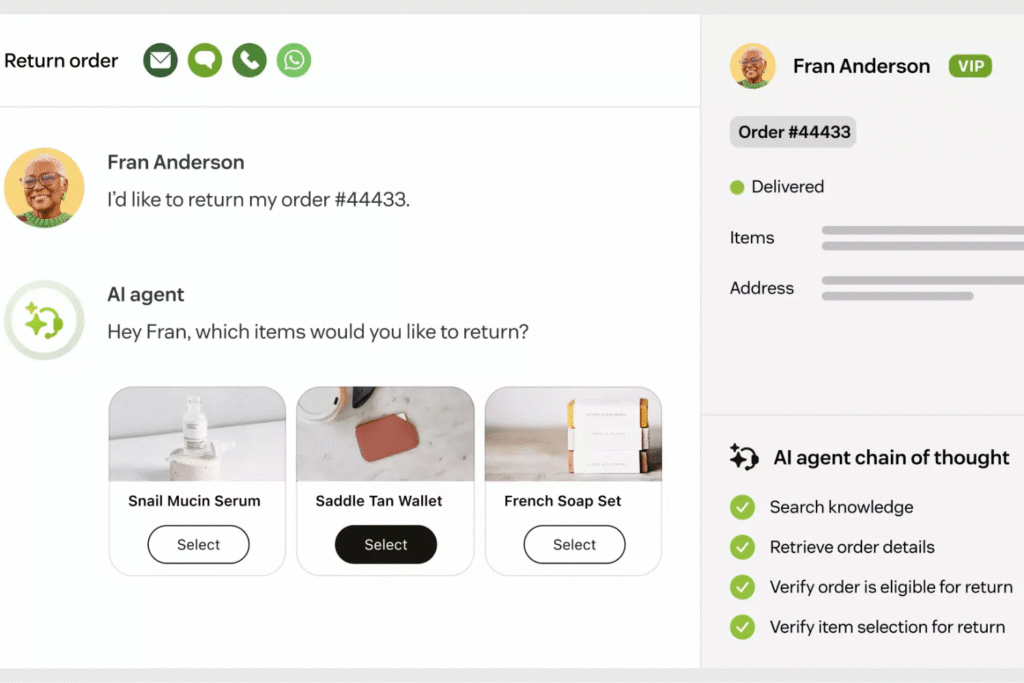
Source: zendesk
Having your website chatbot understand why someone is using it is the first step to finding them the right solution. Based on your customer support history, you should know the most common reasons why they contact you. These will determine the pre-selected greeting options for what they need help with.
Some examples of user support intents for chatbots are:
Help with new or existing orders (returns, product damage, delayed delivery, address updates, etc.)
Sales-related questions on the products or services you offer (pricing, scheduling, orders, etc.)
Troubleshooting assistance (software not updating or integrating properly, glitches, etc.)
Something else (unrelated to the above options)
Creating these automated options will direct people to get the exact help they’re looking for because it’s designed based on their intent.
Save Individual Conversation Histories
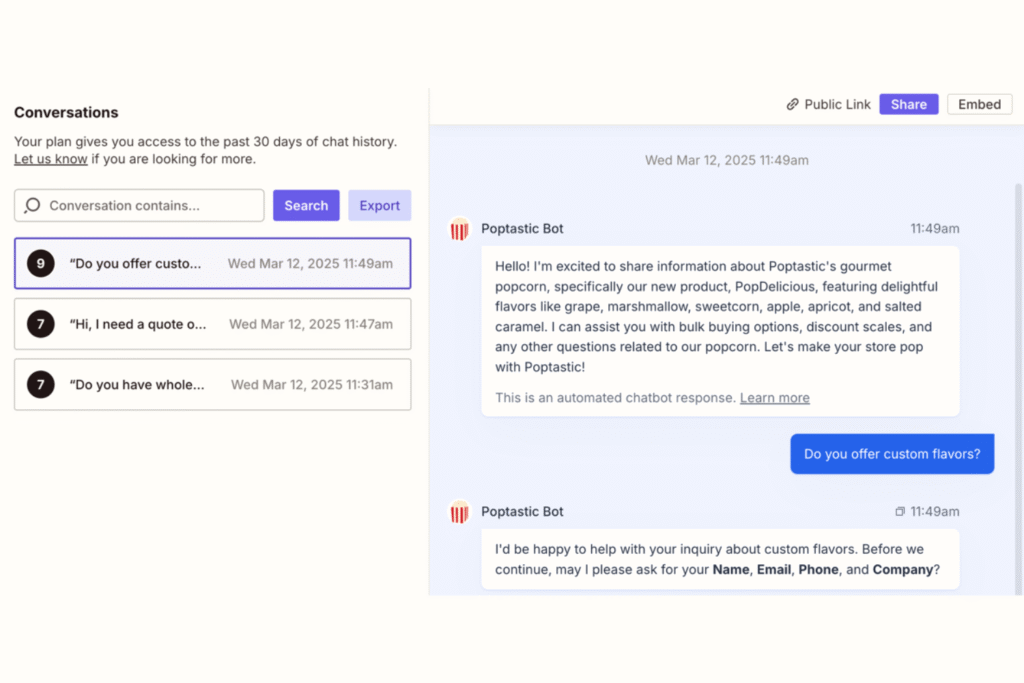
Source: Zapier
One of the best practices in chatbuilding engaging conversations is its ability to save individual chat histories. AI is designed for machine learning, and the more that’s inputted, the more efficient it becomes in providing personalized solutions. This contextual awareness prevents your website chatbot from providing generic answers for a stronger user experience.
Integrate Omni-Channel Support Options
Sometimes users just want to speak with real people, even if your site’s chatbot is developed and designed thoroughly. One of the must-have features in a chatbot is the ability to provide multiple customer support options in different languages. It should offer a phone number, email, and social media contact information for anyone to reach your company for additional assistance.
Train & Test the Chatbot Thoroughly & Continuously
As mentioned above, website chatbots rely on continuous machine learning for optimal performance. Your web design and development teams should consistently test the chatbot pre- and post-launch for ongoing improvements. These may include potential functionality limitations, unrefined messaging, and mobile device layouts.
Leverage the Full Benefits of AI Chatbots for Your Website with Expert Builders
When built properly, chatbots for websites offer significant benefits for businesses. From increased lead generation to reduced costs from hiring fewer customer service staff and 24/7 support that your customers will appreciate, AI has become an integral part of your brand’s success.
However, it requires expert chatbot designers and builders to maximize these benefits.
At Reach Marketing Pro, we have extensive experience in chatbot design and development. Our full-service marketing agency can dive deep into your target audience’s needs with prompt training, integrate must-have features for your specific industry, and design it within your brand’s guidelines with ongoing optimization to ensure it continuously improves.
GA4 Exploration reports go beyond your standard SEO reporting. It dives deeper into your website’s SEO data by gaining more insights into its user behavior. From customizable data views to several dashboard filters and audience segments, it provides advanced SEO analysis that isn’t available in traditional Google Analytics 4 SEO reports.
This comprehensive guide will walk you through GA4 Explorations and how to navigate each report to show you the SEO data that matters most for your business.
GA4 Exploration Reports: A Complete SEO Guide to Navigating Dashboards & Templates
GA4 Explorations is a powerful reporting tool to help you monitor your website’s key metrics, including SEO. Below, we’ll break down the advantages of using this platform for your business and how to use all seven reports to improve your SEO efforts.
Understanding the Benefits of GA4 Exploration Reports for Your Site’s SEO
Here’s how GA4 Explorations can strengthen your site’s SEO performance:
Customizable SEO Data Features for In-Depth Reporting
GA4 Explorations has many pre-built filters, variables, and segments to configure their dashboards.You can either create an exploration from a blank canvas or build one from an existing report. This feature allows you to configure the SEO data that you want to see more in-depth.
These customizable features include:
Canvas: A large area that displays your site’s SEO data with seven pre-selected techniques (explained later below). It can also have multiple tabs, so you can use multiple techniques within a single exploration.
Variables: A panel that gives access to the dimensions, metrics, and segments you can use. It can also change the timeframe of the exploration.
Tab Settings: A feature that lets you configure the currently selected tab based on the technique, Variables panel, and customizable technique-specific options.
These capabilities help you understand your site’s SEO data further and answer complex questions about it.
Relevant User Behavior Metrics for Data-Driven SEO Strategies
GA4 Explorations bring more relevant user behavior insights on your website, so you can make more informed data-driven SEO strategy decisions, like content or design optimization. With highly customizable reporting features, like filters, variables, and segments, you can focus on the most relevant data on your website’s users and their journeys.
Centralized Dashboard Access for SEO Teams
After you create a GA4 Exploration, it can be the new standard template for your SEO teams to reference. Having centralized access ensures consistent SEO accuracy so they’re not customizing reports differently. Even if you have a large staff, you can create up to 200 individual explorations per user per property or up to 500 shared explorations per property.
Navigating All 7 GA4 Exploration Reports & How to Use Them for SEO
Now that you know the benefits of GA4 Exploration reports, here’s how to navigate each dashboard and understand the SEO metrics they provide.
1. GA4 Path Exploration
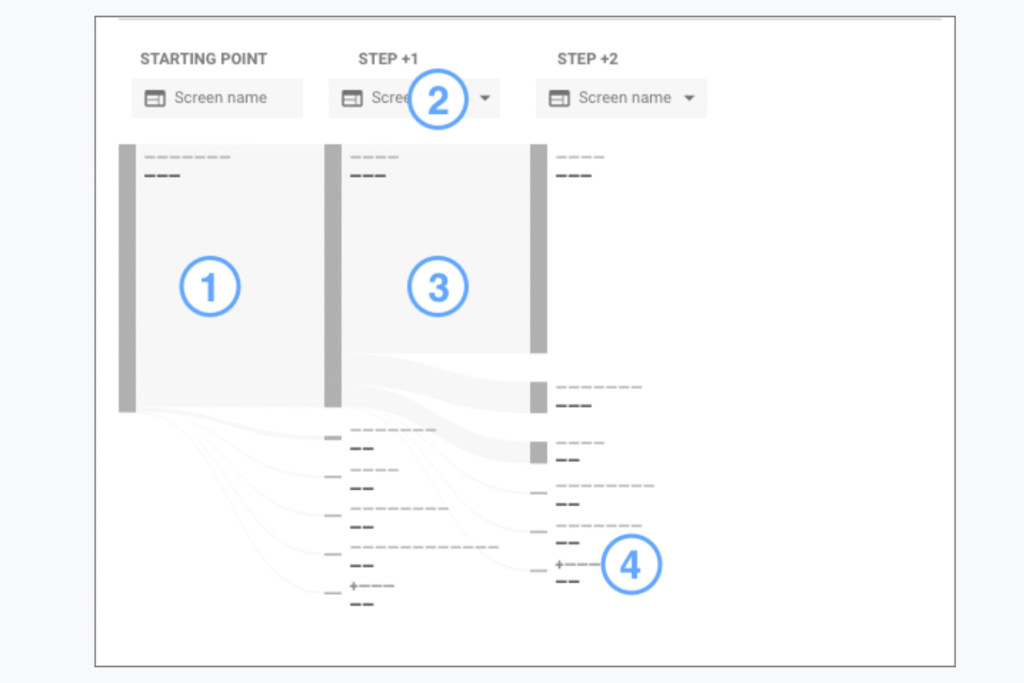
The GA4 Path Exploration report shows exactly how users interacted with your website via a tree graph. These include where they entered, exited, returned, the channel used, and the browser. This dashboard is useful for understanding the typical paths people take when visiting your site.
Source: Google Analytics Help
This report benefits your SEO efforts by discovering the top-performing pages that users go to, so you can reference these actionable trends and implement their attributes to lower-performing ones. You can also find looping behavior that makes visitors stuck to improve your site’s user experience–which is a top factor in SEO performance.
2. GA4 Cohort Exploration
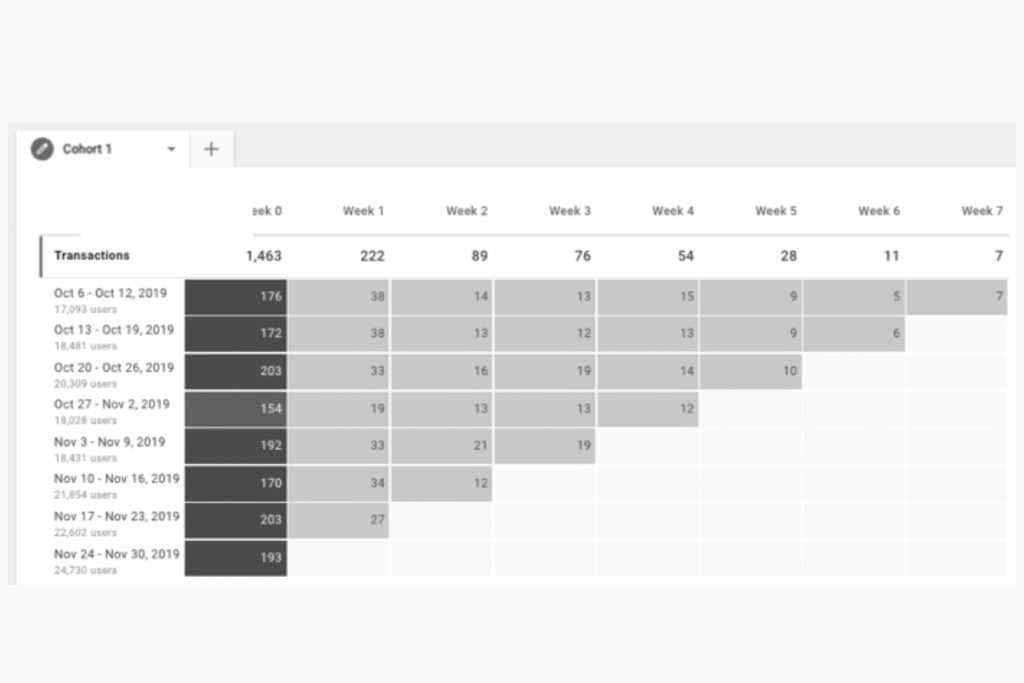
The GA4 Cohort Exploration report shows how groups of users with shared common attributes interact with your site over time. It creates user groups based on shared conditions (a cohort), such as the same new customer acquisition date, transactions, and conversions.
Source: Google Analytics Help
This dashboard measures visitor acquisition and retention by letting you create user cohorts that meet specific criteria.
For example, if you’re running a website promotion, you can see how long it takes newly acquired and returning customers to buy. These microtrends can help you optimize remarketing campaigns for your dynamic display ads by re-engaging with them at the right time.
3. GA4 Funnel Exploration
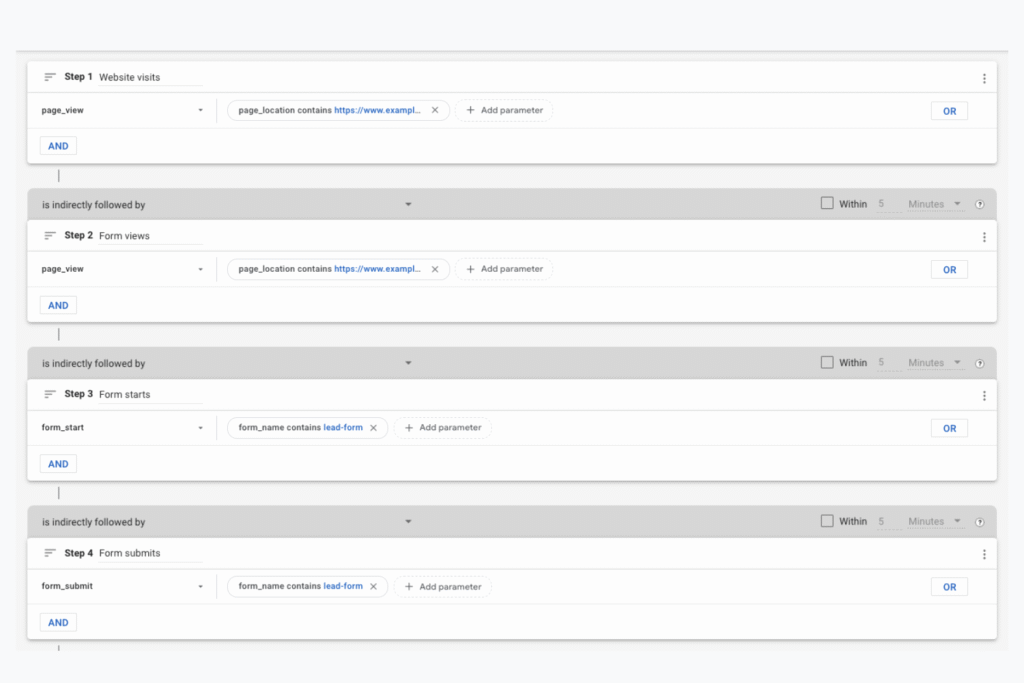
The GA4 Funnel Exploration report visually shows the steps users take to complete a task on your website and how successful they were at doing it. This dashboard measures how effectively your site supports conversions because you know where people typically drop off.
These usually involve how user-friendly your website is, so you can uncover areas of improvement to make it easier for them to complete their customer journeys.
Source: Google Analytics Help
For example, this report shows the average elapsed time between each funnel step. If you find users taking a long time to move from cart to checkout, you may have functionality issues that make it hard for them to take the next step. User-friendliness is a top priority in Google’s search algorithms, ensuring they provide relevant content that is easy to navigate.
4. GA4 User Exploration
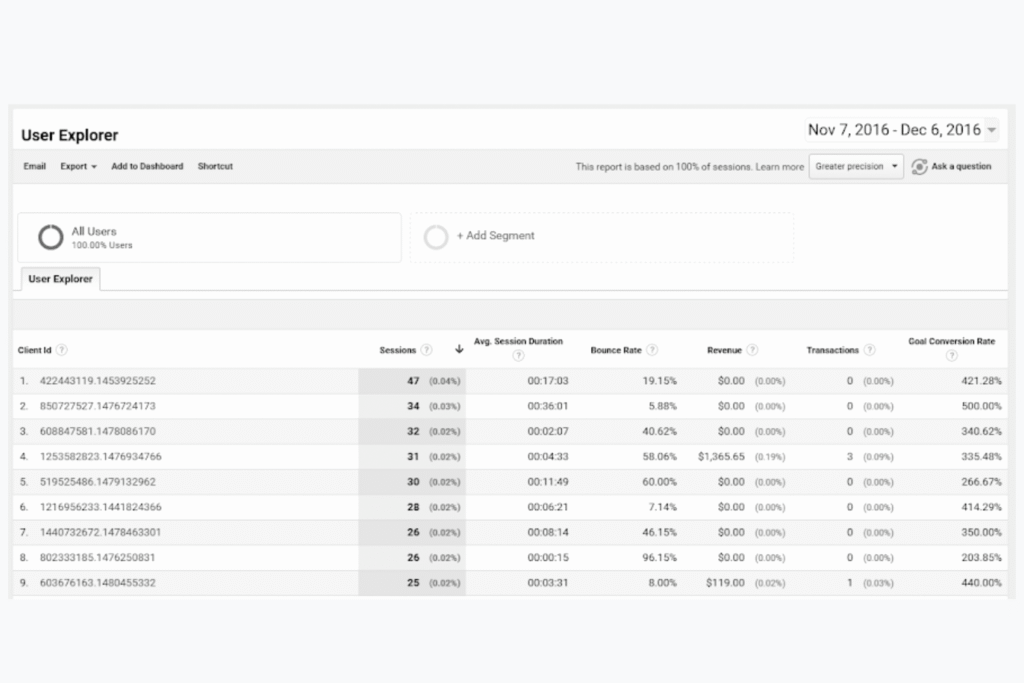
The GA4 User Exploration report dives deeper into your website’s user behavior based on the segments you create or import. These include individual activities, like how, when, and where the user was acquired, plus the timeline of events triggered by that user on your site by date.
Source: Google Analytics Help
This dashboard is essential to better understand your visitors’ behavior so you can personalize your site’s experience for them or troubleshoot any issues. For example, if a customer had an issue placing an order on your site, you can analyze what went wrong based on the actions they took and create a segment of users who take similar ones going forward.
It’s about analyzing how your most valuable users engage with your site, the paths they follow, where they spend their time, and the promotions they click. That way, you can optimize your site’s user experience and SEO content for conversions when you know which ones they interact with the most.
5. GA4 Free-Form Exploration
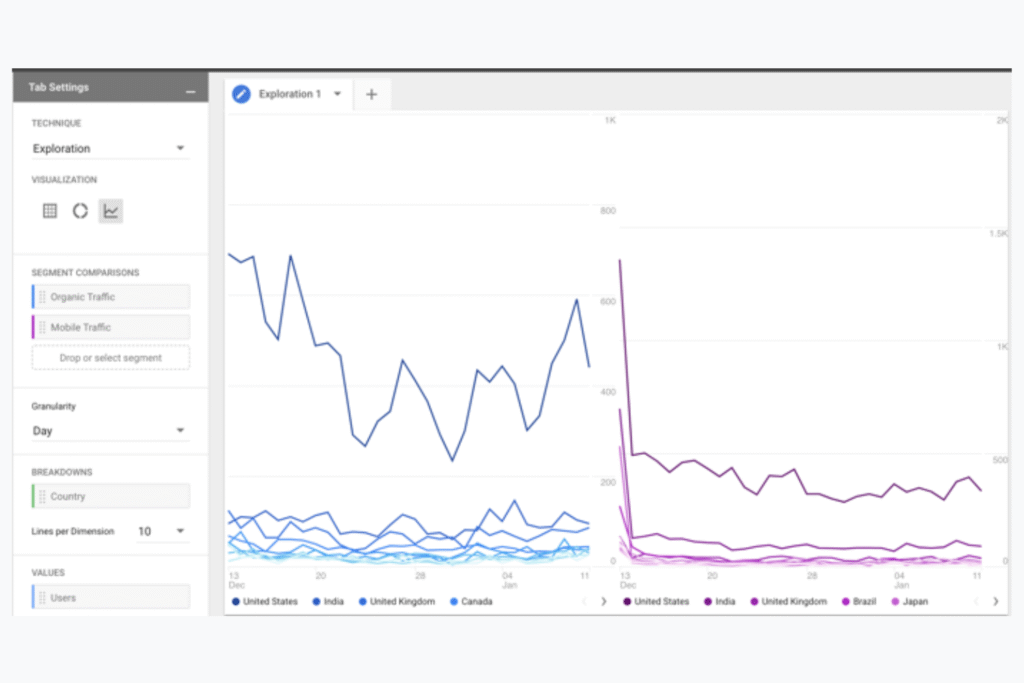
The GA4 Free-Form Exploration report shows your site’s SEO data visually with multiple style options, including:
Crosstabs
Bar charts
Pie charts
Line charts
Geo maps
Scatter plots
Source: Google Analytics Help
There’s also an anomaly detection that lets you identify outliers in your SEO data over time or within a segment at the same period. It’s a statistical feature using Analytics Intelligence to flag a single metric within a single dimension value or over several metrics and dimension values at a point in time. That way, you can forecast the value of specific SEO metrics in a time series.
From comparing several metrics side by side to creating audience segments from selected metrics, it’s highly flexible in customizing your SEO data with several visual styling features.
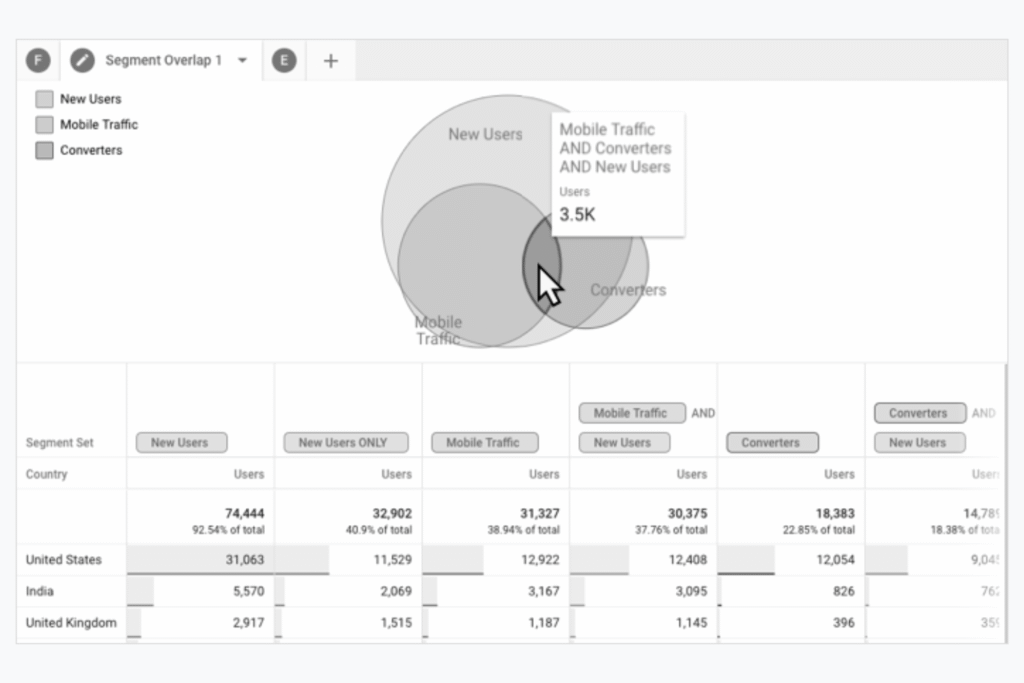
6. GA4 Segment Overlap
The GA4 Segment Overlap report shows up to three user segments and how they relate to each other. This dashboard helps refine SEO data by identifying new user segments who meet complex criteria and how they overlap.
Source: Google Analytics Help
For example, you can create three user segments on New Users, Mobile Traffic, and Converters. Isolating these specific audiences helps you understand the connections between valuable user groups on your website for SEO optimization opportunities.
You may find that your new users have different characteristics on mobile and desktop, such as one device converting more than the other. This information can help you optimize the mobile design on the pages they’re visiting to increase conversions.
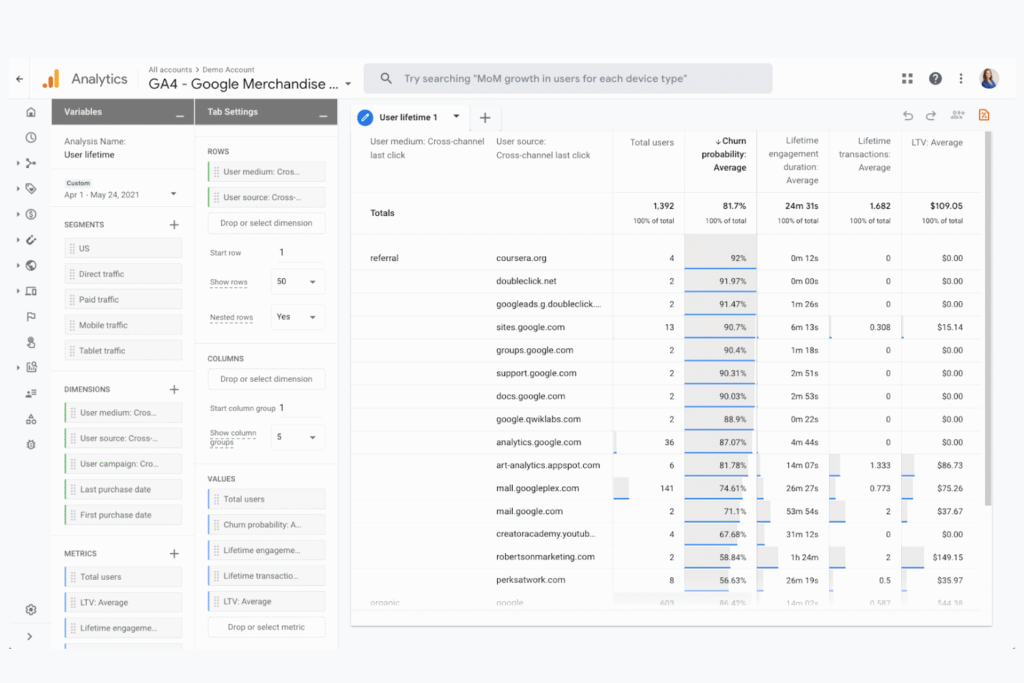
7. GA4 User Lifetime
The GA4 User Lifetime report examines user behavior and value over their lifetime as a customer. It shows the source, medium, and campaign that drove users with the highest value over a set period. This dashboard helps measure customer lifetime value to help improve your site’s retention strategies.
Source: Google Analytics Help
This report helps you understand which SEO campaigns are the most valuable to your existing customers and allocate your budget and resources more effectively. You’ll know the traffic source contributing the highest lifetime value of users, so you can optimize creatives and copy in your paid or organic search efforts based on these insights.
Your GA4 Metrics Show Valuable Insights: Leverage Them Fully to Maximize Your Site’s SEO Success
SEO alone is multifaceted, and navigating several GA4 reports with many available features can be challenging. Let us help you leverage the power of these tools with our SEO exports.
At Reach Marketing Pro, we’re a full-service digital agency with extensive experience in all aspects of SEO marketing, including website optimization, copywriting, and GA4 reports. We’ll also provide quarterly SEO reporting across Google’s platforms with key metrics that matter most to your bottom line to ensure your strategies remain relevant.
Using Google Analytics 4 for local SEO can help you better understand your local business’s online performance more effectively–but do you know which reports to track? With many dashboards and metrics available, navigating which ones to monitor and how to configure them can be challenging.
Below, we’ll break down the top three local SEO reports in GA4, how to use each one, and the benefits of leveraging these tools for your local brand.
Using Google Analytics 4 for Local SEO Reporting: 3 Dashboards You Should Be Tracking to Optimize Local Online Performance
Here are the top three reports you should be using in Google Analytics 4 for local SEO and why they’re key to boosting your online presence to nearby customers.
1. Demographic Details Report
Using Google Analytics 4 for local SEO can help you better understand exactly who your target audience is. When you have data-driven insights into the demographics and behaviors of people who visited your website, you can refine your local marketing strategies.
The Demographics Details report does just that. Before diving into this dashboard, let’s show you how to get there and additional insights you can reference with it.
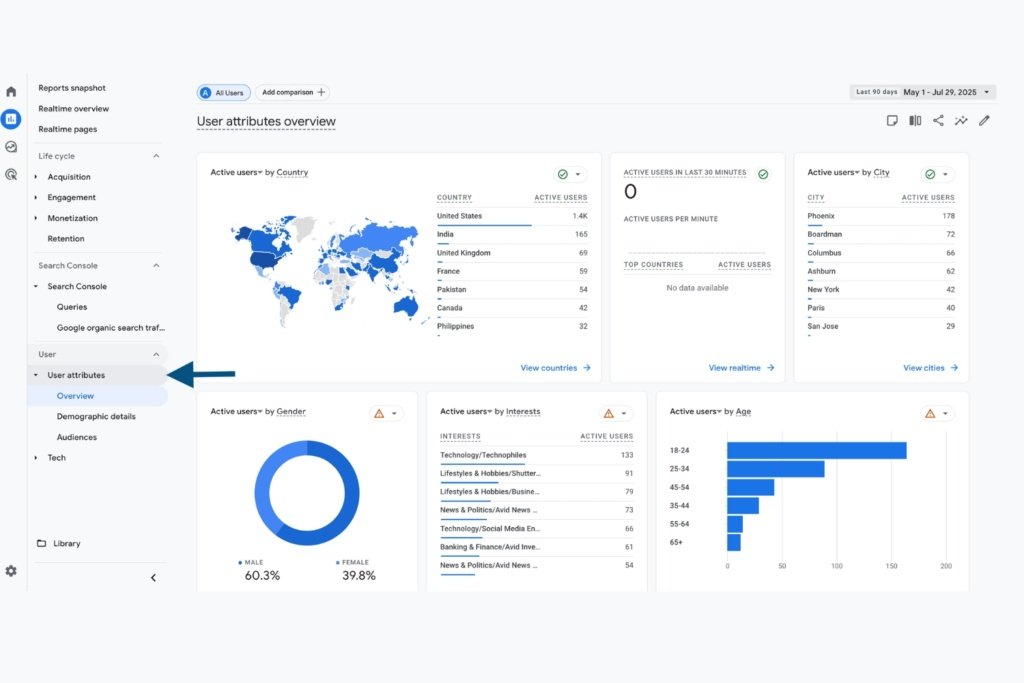
Under the User tab, you’ll find a User Attributes overview that shows the following information:
Users by country
Users by city
Users by gender
Users by age
Users by interests
Users by language
Users in the last 30 minutes
The overview displays the location data of your website visitors’ browsers over a set period. It even breaks down by active, new, and returning users. This data shows how well you’re retaining existing local users and attracting new ones.
You may find that your site is attracting new users in specific cities, showing strong brand awareness in that area, so you can focus on other neighborhoods where it’s underperforming. You may also find that returning users are declining in one location, so you can optimize your site for customer loyalty in that area, like referral marketing program initiatives.
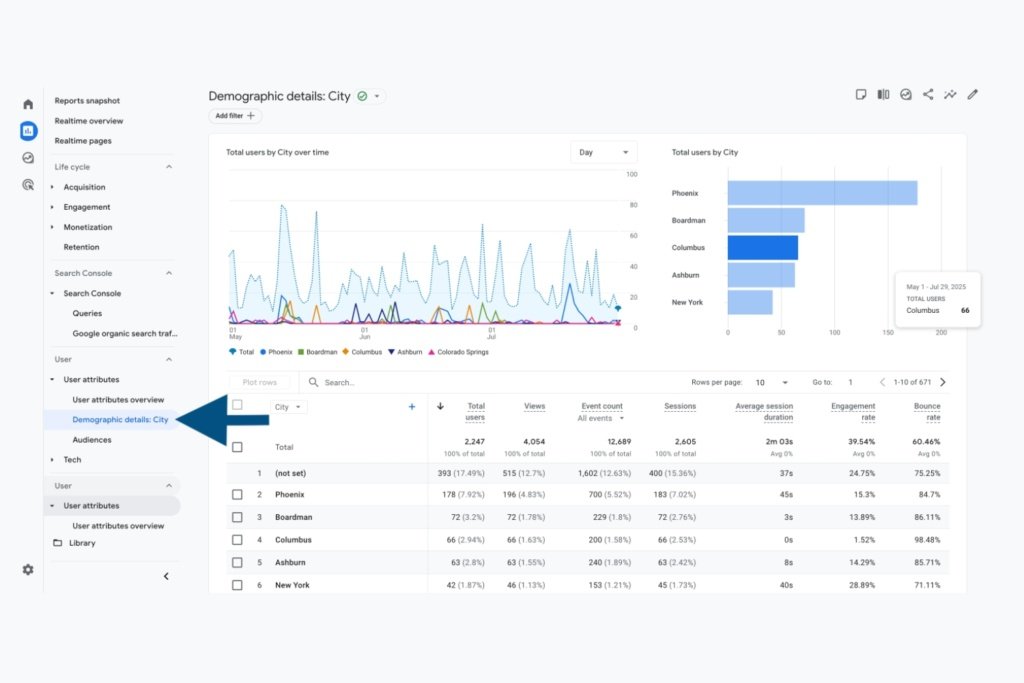
Now moving on to the Demographic Details report, which is found under the User Attributes tab.
As a local business, we recommend customizing this GA4 report by city so you can see which surrounding neighborhoods bring the most people to your site. You can also identify gaps in local areas you may not be attracting enough users from.
That way, you know which areas to prioritize in your navigational types of SEO content, like service location pages or paid search campaigns.
The Demographics Details report can be configured with a long list of metrics, but we suggest using the following:
Total users
Views
Event count (website entrances)
Sessions (website browsing)
Average session duration (how long people browsed your site on average)
Engagement rate
Bounce rate
This data shows local user behavior trends across different cities to discover where people are engaging with your site the most and the least.
2. Traffic & User Acquisition Report
The next dashboard you should be using Google Analytics 4 for local SEO is the Traffic and User Acquisition report. While these are two separate dashboards, they both cover key information about the people your site attracted, the channel they entered from, and how they interacted with your site over a set period.
User Acquisition Report
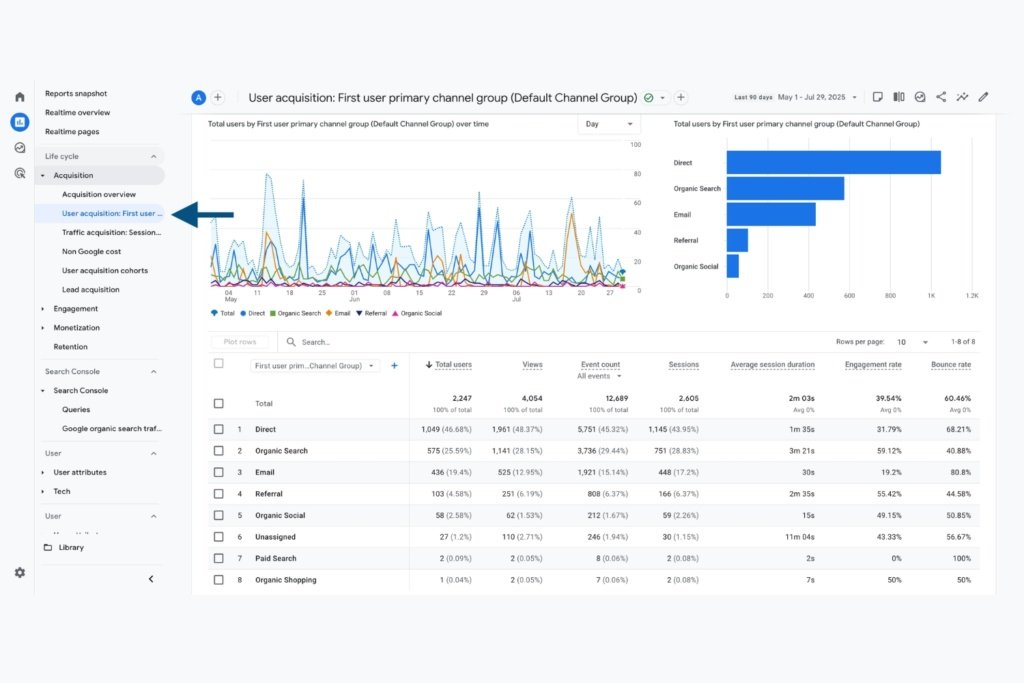
Under the Acquisition tab, you’ll find the User Acquisition dashboard, which breaks down the behavior metrics of your website visitors by channel group.
It displays the following channels from which your users entered your site:
Direct
Organic search
Email
Referral
Organic social
Paid search
Organic shopping
Unassigned
Knowing the sources that acquired the most users unlocks key opportunities for the marketing channels you use. If you find that email marketing has been the top source for generating the most local users to your site, you can use your resources more efficiently because you know it’s successful.
In contrast, you can find areas of improvement, such as lower-performing local service ads that don’t bring many users, so you can spend your marketing budget in other channels.
Traffic Acquisition Report
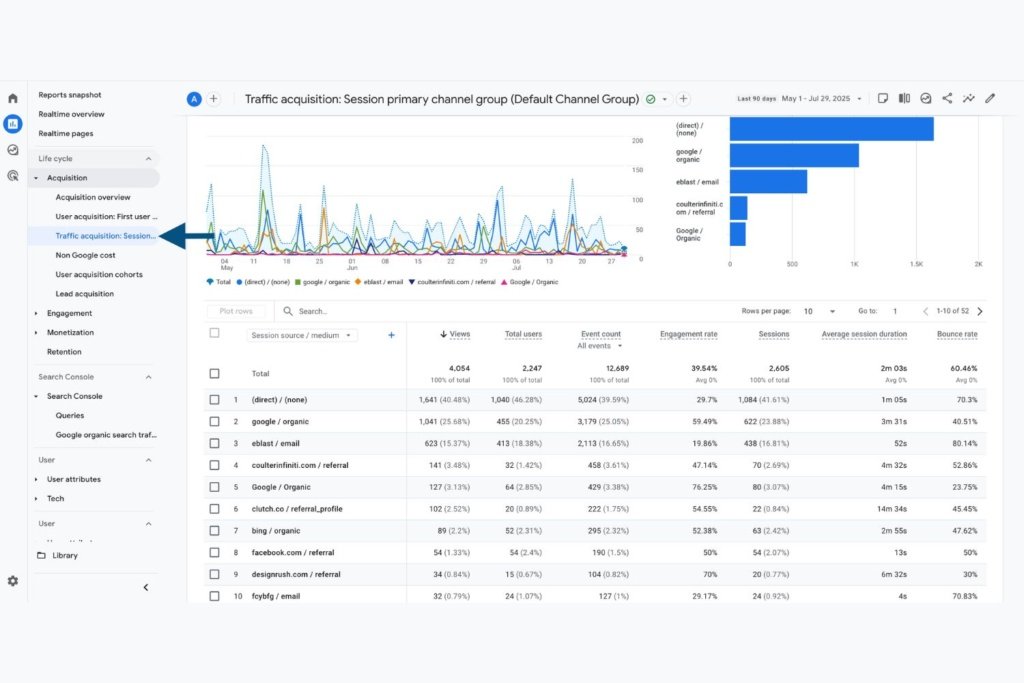
The Traffic Acquisition report is also under the Acquisition tab, which breaks down the behavior data of the general traffic your site attracted.
The difference is that the Traffic Acquisition report shows multiple sessions of traffic from the same user, while the User Acquisition report only shows attributes from a user’s first visit.
When it comes to local SEO data, this dashboard is especially useful because it displays Google Business Profile traffic metrics as “GoogleLocalListing / organic.”
However, you must have UTM parameters set up on your GBP listing so GA4 can track this data. It’s basically a custom URL you’ll place as the link to your website on your GBP, so when someone clicks it, it’ll show in the Traffic Acquisition report. You’ll need to configure your dashboard to “Session source / medium” to monitor your GBP traffic metrics.
The “GoogleLocalListing” is the source, while the medium is organic. This data is crucial to seeing how well your GBP listing performs in visibility and engagement from local organic traffic.
For example, if you find that your GBP is not a top traffic generator, you can use this as an opportunity to optimize it for improvement. You may need to revisit the local keywords used in your business description or weekly posts to strengthen the profile’s online visibility.
In addition to GBP, you’ll find other traffic source metrics, such as Facebook, email blasts, and organic Google search. These insights also uncover how well your site’s content ranks by showing how much local traffic is generated from search engines (organic Google search). That way, you have a better understanding of targeting the right keywords in your local SEO strategy.
3. Landing Page Report
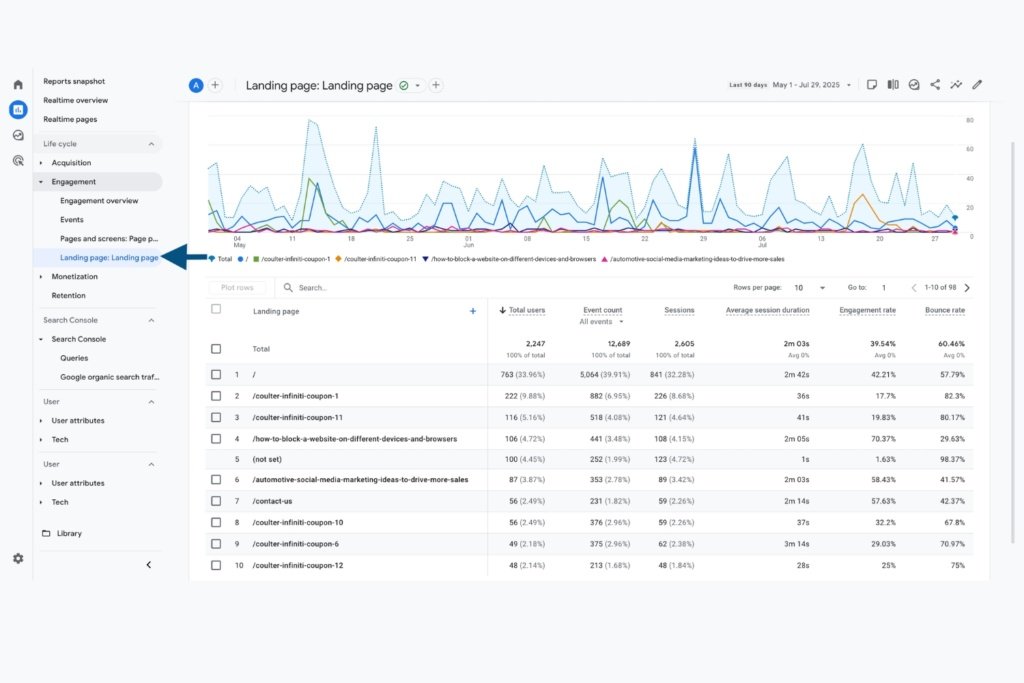
While the Demographic Details and User & Traffic dashboards focus on local marketing metrics, the Landing Page report is for conversions. As a local business, you also need to gain more customers, and this report measures how successful your landing pages are at converting leads.
The Landing Page report is under the Engagement tab.
You’ll also find the same location page data as the Demographic Details and User & Traffic Acquisition reports. However, for your landing pages, you can discover key local SEO insights that may be helping or harming conversions.
For example, if you find your landing page generates the most entrances to your site but has a high bounce rate, it’s not converting leads for a reason. Your landing page may not be user-friendly for mobile devices or may have a slow loading time, making it harder for local potential customers to buy from you–even though they’re clearly interested.
From conversions to traffic, using Google Analytics 4 for local SEO is about seeing what’s currently working and what’s not.
Maximize Your Local Business Visibility & Stand Out From the Competition Online
Are you not seeing the results you want for your local business? Let us help you stand out from your competitors.
At Reach Marketing Pro, we’re a full-service digital agency with extensive experience in all aspects of local SEO, including GA4 reporting, Google Business Profile posting, and landing page optimization. We’ll also provide quarterly GA4 reports to ensure all local SEO strategies continuously and effectively support your bottom line.
Ready to maximize your local business’s footprint?
You know the importance of creating content for SEO. But, do you understand the main types of SEO content and when it’s best to use each one for your website? With unique frameworks and search engine guidelines, knowing their differences is key to maximizing ROI on your content marketing efforts.
Whether you want to boost conversions or increase keyword rankings, learn how to optimize your site’s online performance with these SEO content categories.
6 Types of SEO Content for Websites & How to Create Them for Optimal Online Performance
Below are the six main types of SEO content used for websites, their key differences, and how to create each one with the best practices to follow.
1. Cornerstone Content
Think of cornerstone content as your foundation for constructing a home. It’s what you’ll start with and build upon when creating future content. Also known as pillar content, it focuses on broader topics that you want your site to rank for and will eventually be expanded upon into more specific subtopics.
The purpose of cornerstone content is to bring evergreen SEO value to your website. It helps increase traffic and brand awareness by becoming a high-value resource specific to your industry. These are typically long-form and top-funnel-focused as they’re intended to attract readers and educate them.
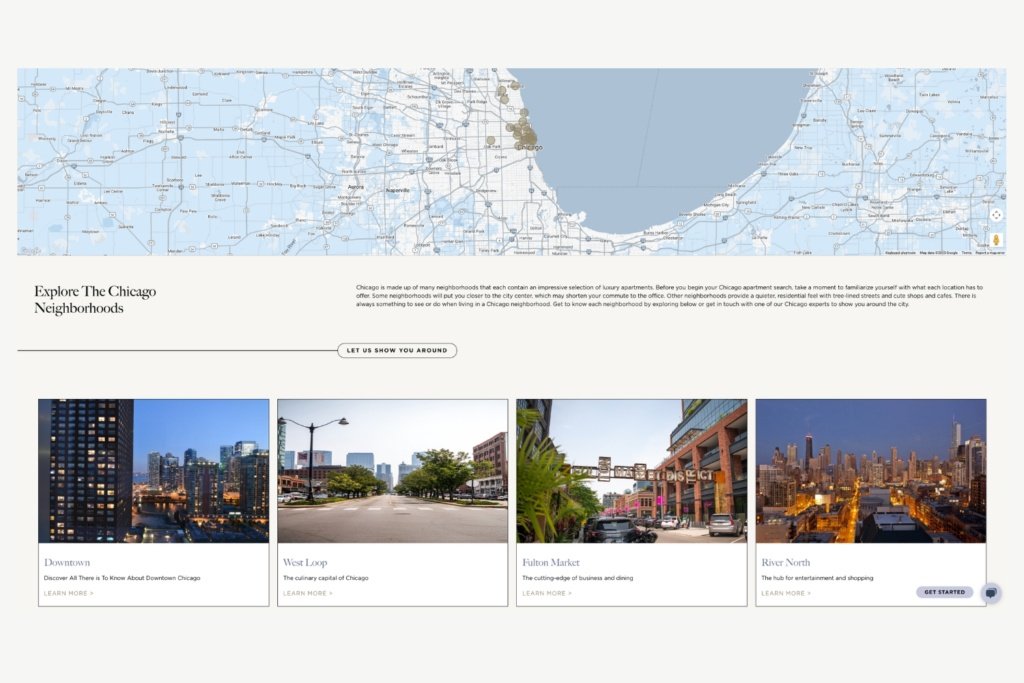
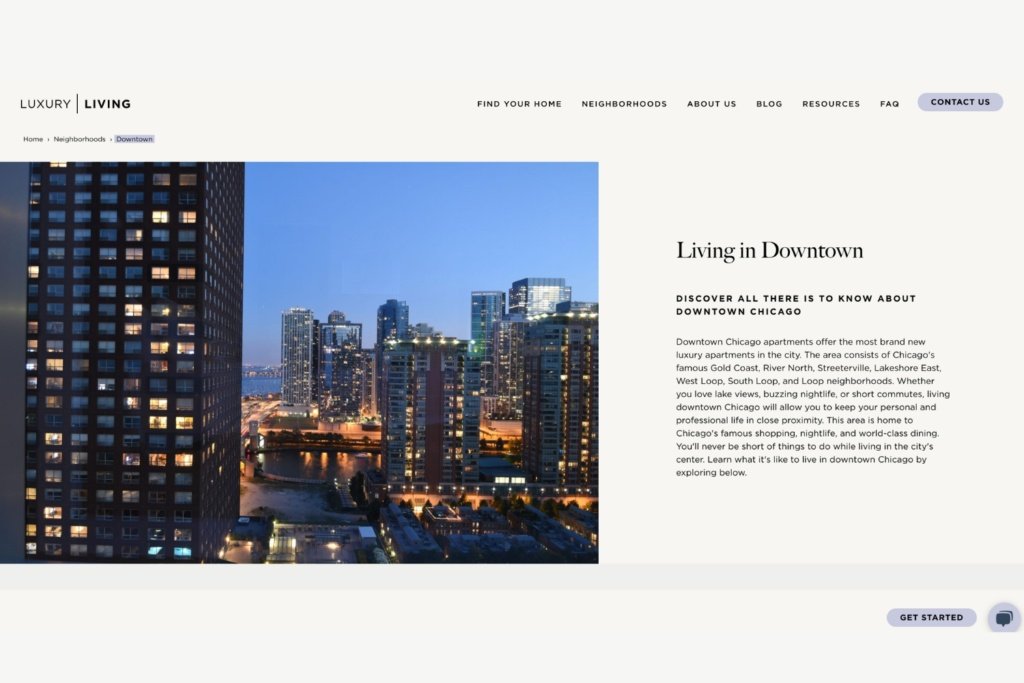
If your business is a Chicago apartment property management company, a cornerstone content example would be creating a general Chicago neighborhood guide for renters. You should include key information that apartment seekers look for online, including the different Chicago boroughs, an embedded map, their rental market rates, budgeting advice, and leasing tips. This can be used as a blog or as a pillar page on your site, which we’ll detail further below.
Source: Luxury Chicago Apartments
From there, you can create subtopic blogs or pages that dive deeper into Chicago neighborhoods, their top highlights, and why it’s worth living there as a renter while internally linking to your cornerstone content.
Source: Luxury Chicago Apartments
Cornerstone content is an effective way to start and execute an SEO content strategy successfully.
2. Pillar Pages
Pillar pages are a type of cornerstone content. They’re intended to establish authority on a broader topic by being placed in a key area of your website, typically in the navigation bar and footer. That’s why cornerstone content is also known as SEO pillar content.
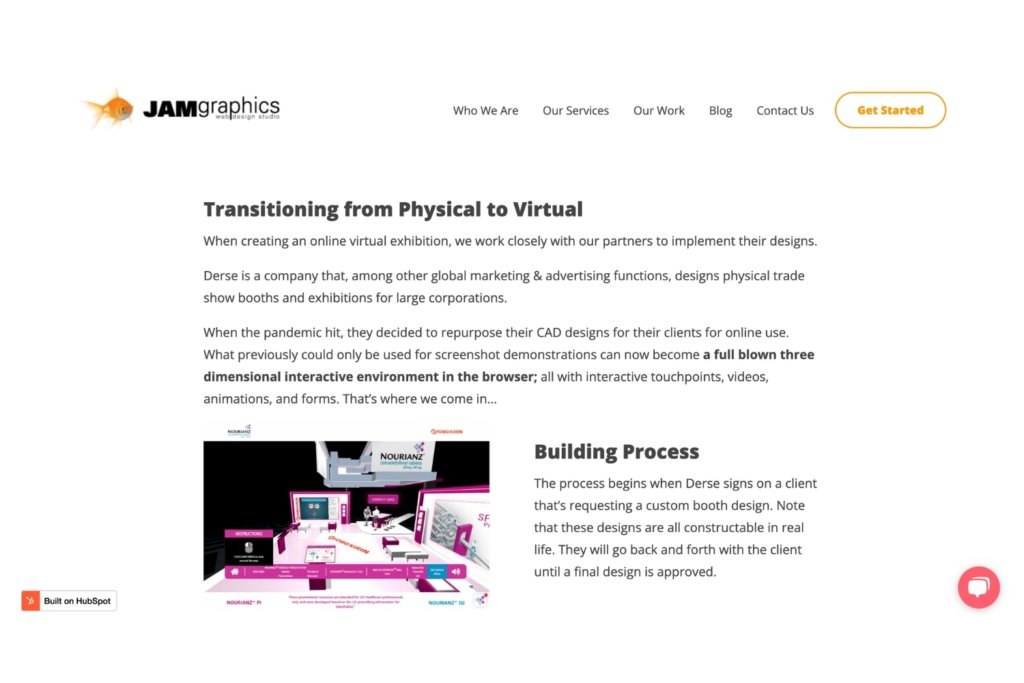
If your business is a web design studio that wants to promote its virtual trade show rendering services, consider creating a pillar page on this topic. Keep in mind that this is different than a service page that may focus on custom 3D web design. This pillar page will focus more on designing virtual trade show booths, the rendering process, and commonly used user-interactive features.
Source: JAM Graphics
From there, you can create subtopic blogs that internally link to your virtual trade show pillar page, such as 2D vs. 3D booth designs. Linking to your pillar pages in content marketing is an effective way to strengthen your site’s on-page SEO and keep users on your site.
3. Skyscraper Content
Skyscraper content is a type of linkbuilding strategy. It’s meant to strengthen your site’s SEO performance by having high-ranking websites link back to your content. Also known as backlinks, these are among the top-ranking factors that Google uses in its algorithm. That’s where the skyscraper content comes into play.
Known as the skyscraper SEO technique, it finds high-ranking content and what external links they’re currently using. Then, you’ll create your own version of it–but better. That way, when you’re doing backlink outreach, your skyscraper content will replace the existing one they’re linking to because it’s higher quality and mutually beneficial.
So, how exactly do you create better skyscraper content that’s already out there?
Look for the following factors:
Keyword Opportunities
Check for the highest volume keywords that can be used to naturally optimize your content’s headings, text, and metadata. If there are several question-based keywords that the competitor is using as headings, take this opportunity to create an FAQs section and use it there instead.
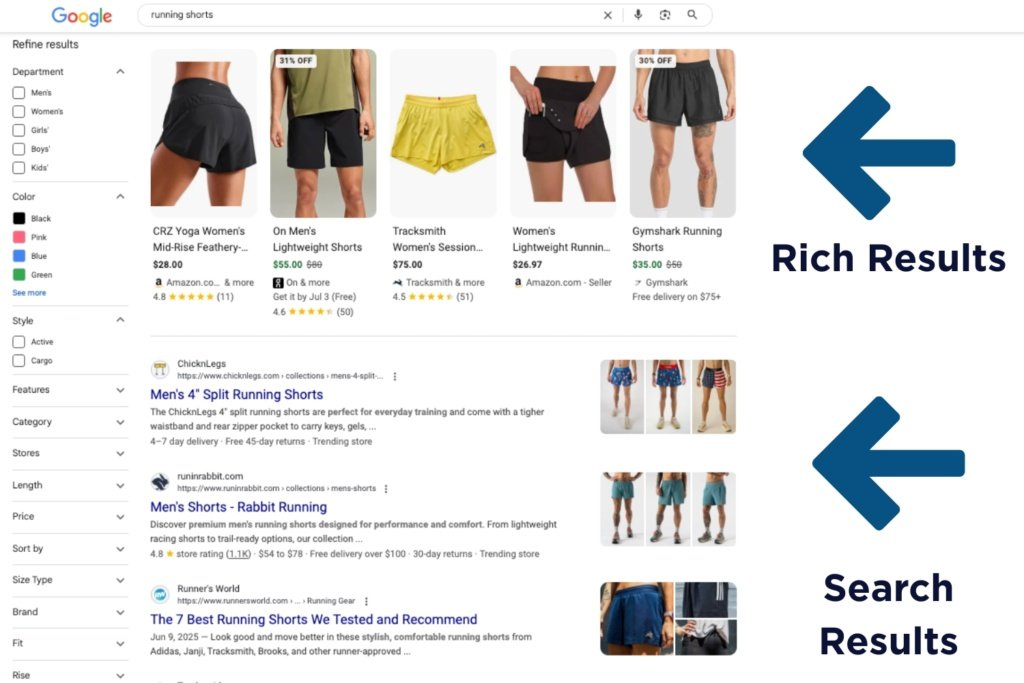
Adding FAQs is not only a great way to rank for question-based keywords, but it can also help your content generate rich results–which users click on 58% of the time versus 41% of non-rich results. Because it visually displays your content differently and above traditional search results, it makes your skyscraper content stand out and perform better–making it more likely that your linkbuilding strategy will succeed as a result.
Visual Opportunities
There are several ways to make your skyscraper content visually stand out from competitors.
Before designing visuals, ask yourself the following questions:
What types of media are they using? Does the competitor’s content have strong, clear visuals that support the topic’s purpose?
Are the paragraphs small and easy to read?
Is the content heading structure properly formatted? Or can it be broken down further so users can quickly scroll and know exactly what the topic is about?
Once you know the answers to these questions, you can find opportunities to make your skyscraper content’s visuals better. For example, if they wrote about a topic on on-page vs. off-page SEO, but only used stock images or graphics, create a comparison chart. It can be a graphic or a table that visually recaps their key differences more effectively.
Content Writing Opportunities
In addition to content visuals, the quality of its text is even more important. For example, if a website you want to gain a backlink from is currently linking to a dated blog, create a current-year version of it. Topics like “2024 Best SEO Content Writing Practices” can be replaced with a 2025 version to ensure it remains relevant and accurate.
Also, look at how helpful the content is. If the competitor is providing SEO content tips, like “make your content mobile-friendly,” but doesn’t provide how to do this or a link, include this in your skyscraper content. Add actionable steps they can take to optimize their content for mobile, like using flexible web page layouts and implementing max-width image source codes so the page is responsive on all devices.
This step creates higher-quality skyscraper content that supports your linkbuilding efforts and is another top-ranking factor in Google’s E-E-A-T framework (Experience, Expertise, Authoritativeness, & Trustworthiness) to provide helpful, relevant people-first information.
4. Blog Content
Blogs may seem like a straightforward type of SEO content, which is informative articles. However, businesses often make mistakes when writing them that don’t support their site’s SEO goals effectively. Among the most common ones is doing keyword research the wrong way. While finding keywords with the highest volume is important, it’s not the only aspect to look for.
You should also check the keyword’s search intent, which tends to be overlooked or not fully understood. Search intent is the general reason behind a person’s online search. Since blogs are top and middle-funnel, using bottom-funnel keywords wouldn’t be relevant to them and can hinder the content’s SEO performance.
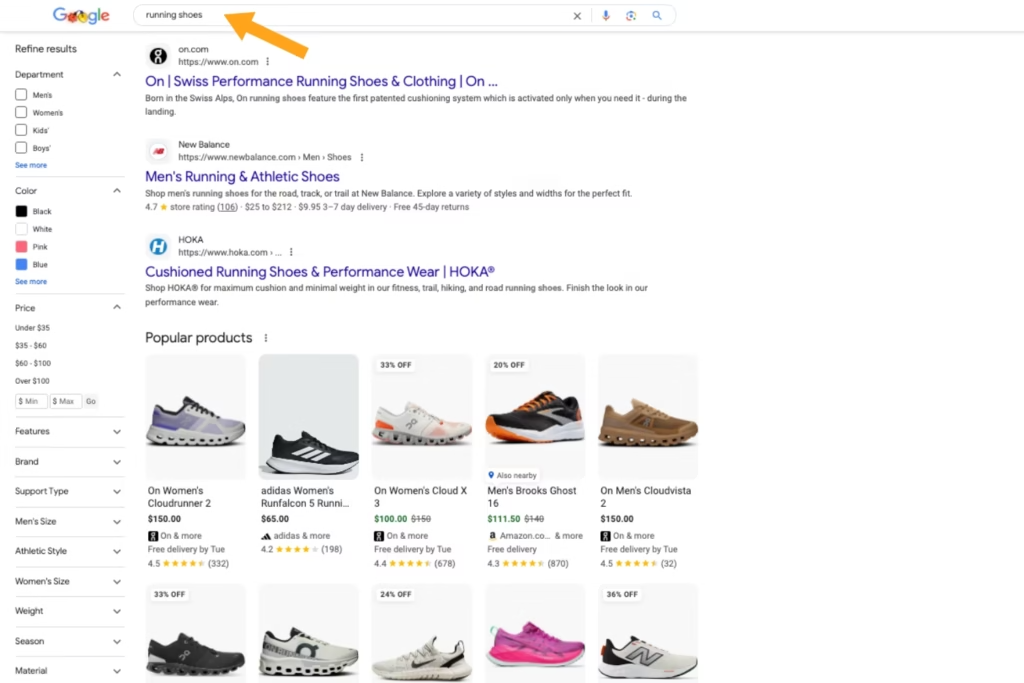
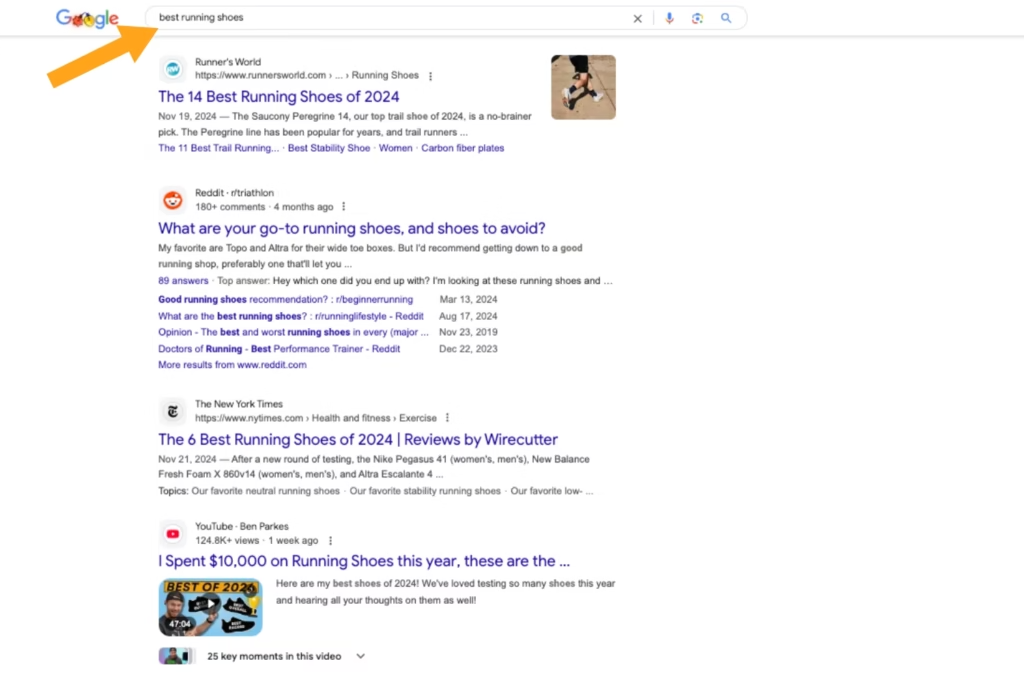
For example, you wouldn’t use “running shoes” as the focus keyword in your “best running shoes” blog. It has a transactional intent that generates product pages in the search results for people ready to buy, not blogs.
Instead, you’d find variations of the keyphrase “best running shoes” or “running shoes recommendations” that support an informational intent and generate blogs in the search results.
You can easily confirm a keyword’s intent on Google and review what the search results show, or use SEO tools, like SEMRush, that will tell you.
Internally linking to product/service pages to increase conversions
Internally linking to relevant cornerstone content and pillar pages to keep users on your site
Externally linking to reputable sites that support claims and data used in your blogs
Organized content structure with proper heading hierarchy, small paragraphs, and supportive visuals
Compelling storytelling with introduction hook statements that grab readers’ attention, address their common pain points, and provide actionable solutions
Adding primary and secondary keywords throughout the text. Using long-tail keywords or adding them to more detailed headings can also help rank blogs for AI search engines.
Quality blog content can be one of the highest ROI drivers over time because your target audience is coming to your website from them, engaging with the site, and building your brand’s credibility.
5. Landing Page Content
Landing pages are a bottom-funnel type of SEO content. It’s the final destination after users see an offer of yours and click to learn more about it. They’re intended to attract transactional intent users and encourage them to complete their buyer’s journey for conversions.
Some examples of landing page content are:
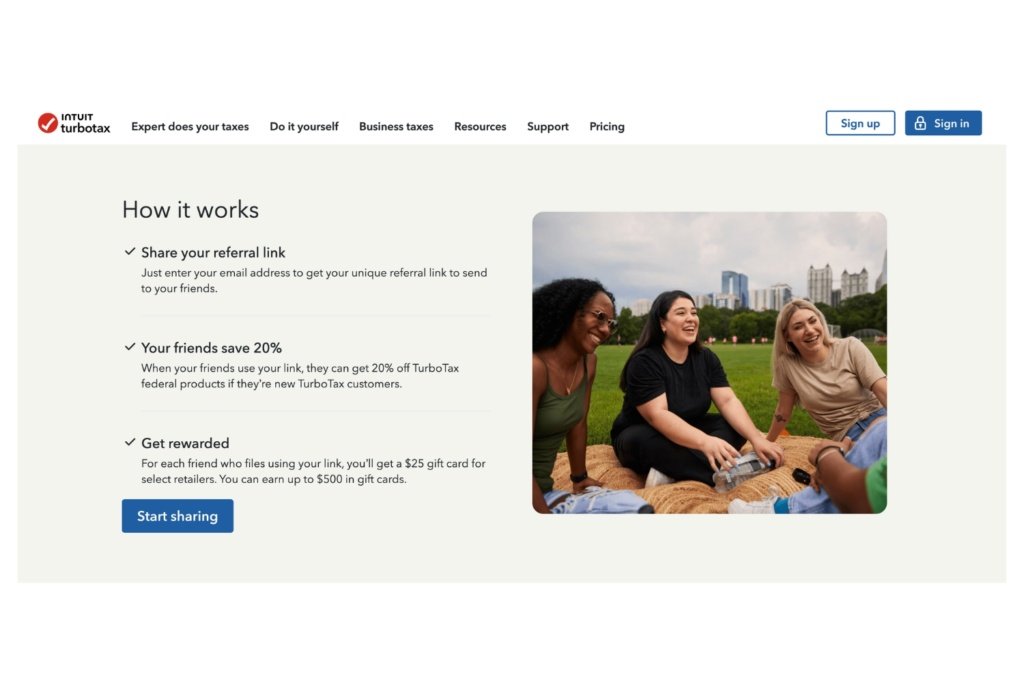
Email blasts linking to a referral program page for existing customers to get a reward if someone they know buys from you
PPC ads linking to a product holiday discount page
Social media posts linking to an event registration page
Source: TurboTax
Creating landing pages requires a persuasive tone with short-form content and actionable language that aligns with where users are coming from. People who are visiting this page are already interested, so they shouldn’t have to sift through long paragraphs or irrelevant content. It should be easy for them to learn more about your offer and take action.
Additional tips for creating effective landing page content include:
Keep the landing page design consistent with where users came from to prevent confusion and ensure visitors that they’ve come to the right website
Implement a single call-to-action (CTA) or multiple buttons (sparingly) that lead to the same action you want people to take
Write short and simple action words that encourage users to take the next step in an appealing tone, such as: “Ready to stop wasting budget on PPC ads? Find out where.” over “Learn More or Contact Us.”
Landing page content requires finesse and punchier writing to make your offer worth it.
6. Lead Generation Content
Lead generation content is also bottom-funnel. It’s similar to landing pages, except it focuses on capturing leads versus conversions, although that’s the ultimate goal. They’re designed to gain the contact information of your target audience and, in exchange, give them a valuable resource.
Common types of lead generation content are:
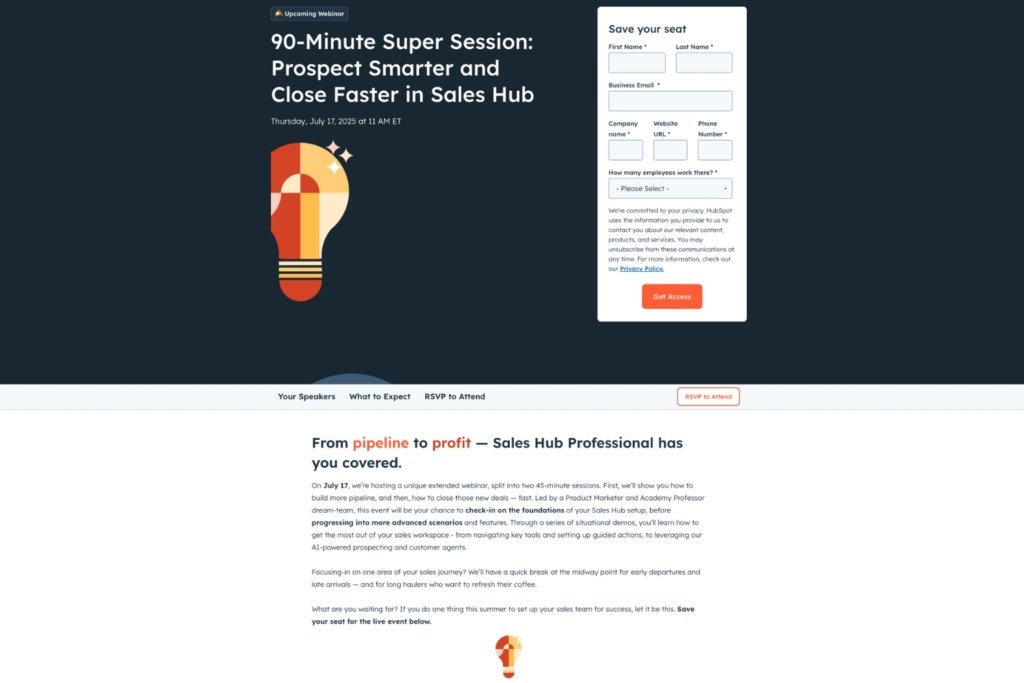
Whitepapers or e-books that offer industry-specific insights from a notable expert, if they fill out a form with their name and email
Webinars where people must register online to attend the event
Downloadable templates or checklists that are sent to the submitted email address
Also known as lead magnets, their purpose is, as the name suggests, to convert visitors into leads, then eventually customers. Accessing their contact information allows you to build customer data profiles to customize your content marketing strategies and target the right audience. If you don’t know who your buyer personas are, this is an effective way to learn.
When writing lead generation content, ensure the offer you’ll bring in exchange is valuable to them, or they’ll look elsewhere where it isn’t gated. It should have a simple form with minimal fields (name, email, phone number) and short-form text that further promotes the offer. Lead generation content is also commonly used in landing pages.
Types of SEO Content FAQs:
What is Cornerstone Content?
Cornerstone content is a foundational type of top-funnel content marketing. It’s used to create general and high-value evergreen content relevant to your brand that you want to rank for, and then write specific subtopics from it to become an authoritative online resource in your industry.
What is the Difference Between Cornerstone and Foundation Content?
There’s no difference between cornerstone vs. foundation content. These are interchangeable terms used to describe broader, top-funnel content used as a foundation for your website to start improving its SEO performance.
What is Pillar Content?
Pillar content is another term often used to describe cornerstone content.
How Many Content Pillars Should You Have?
There isn’t a set number of content pillars you should have, as it depends on several factors, including:
Website size and template
Content marketing goals
Industry
Product/service offerings
As a general rule of thumb, three to five content pillars are the best practice for most brands.
What is Skyscraper Content?
Skyscraper content is a type of linkbuilding strategy used to find high-ranking sites, create better content than they’re currently linking to, and become a replacement backlink.
Strengthen Your Site’s SEO with Smarter Content Choices
Content marketing is a multi-faceted approach. It requires a unique understanding of all SEO content types and consistent creation to generate optimal results for your website.
Don’t create content for the sake of doing it. Maximize your ROI with content marketing specialists instead.
At Reach Marketing Pro, we’re a full-service digital agency with extensive experience in all aspects of SEO content marketing, including website pages, blogs, and lead magnets. With in-house SEO writers, graphic designers, and web designers/developers, we know how to customize your content and make it stand out online.
Social proof marketing is based on the principles of psychology, and it’s a strategic way to strengthen your brand. People naturally base their purchase decisions on the opinions of others, even if they don’t know them personally. These can be influencers, customer reviews, or celebrity endorsements.
Learn more about the power of online validation and how you can unlock several business opportunities from a credible reputation.
Understanding the Benefits of Social Proof Marketing & Why It Matters
Social proof psychology is when people are influenced to make decisions or take actions based on others. It’s a form of validation because it makes them more comfortable doing something, because many other people have done it. In the digital age of influence, social proof marketing has become more prominent than ever.
Here are some benefits of using social proof in your marketing strategies and why it’s essential.
Social Proof Builds Your Brand’s Credibility
Customers nowadays are tech-savvy and will make informed purchase decisions. They’ll take time to research your online reviews, customer testimonials, and case studies before buying from a brand. Studies show that 87% of buying decisions begin with preliminary research before a purchase is made.
That’s why having a positive online reputation is crucial nowadays. It can influence consumer behavior because your brand is seen as trustworthy.
Social Proof Boosts Conversions
When your brand is seen as credible from social proof, it can increase conversions as a result. According to social proof statistics from OptinMonster, testimonials alone boost sales page conversions by 34%, with 35% of them buying from a better-rated company when comparing similar products.
Shoppers see people vouching for your brand and will let those opinions sway how they spend their money–making them more likely to buy from you, including over your competitors.
Social Proof Strengthens Your Online Presence
Social proof is especially useful for small to medium-sized businesses looking to increase brand awareness. You can use social proof marketing on various platforms, including Google Business Profile, social media, and websites.
If your company doesn’t have an established digital footprint, it can build trust for audiences who are unaware of your brand and make them more likely to take the chance to buy from you, too.
A Look at Different Social Proof Types and How to Integrate Them Into Omnichannel Marketing
Below are examples of social proof and how to integrate them into your omnichannel marketing efforts.
Social Proof Referral Marketing
A referral program is one of the most successful ways to generate social proof. While the opinions of strangers are highly effective, the ones of peers are the most impactful. Consumers will rely on people they know personally when referring to a brand.
In fact, referrals are the highest customer acquisition channel, driving up to five times more sales from offline word of mouth, including paid ads. Having a referral program with personalized incentives, like exclusive loyalty programs or special discounts, motivates people to share and review your business with those they know.
Social Proof on Websites
Your website is the foundation of your business. It’s where users go to learn more about your brand, browse your products or services, and eventually buy from you. That’s why it’s necessary to integrate social proof on your site to guide them through each step of their buyer’s journey.
Some ways to incorporate social proof on websites are:
Customer testimonials
Case studies
Industry accolades on the About Us page
Embedded Google reviews in the website footer
Website social proofing is an effective marketing strategy to showcase your brand’s positive online reputation and industry credibility.
Social Proof Advertising
Social proof advertising can be a worthy investment. While it’s technically a paid form of social proofing, it can still be effective when done right.
Some ways to use social proof ads in your campaigns are:
Micro-Celebrity Endorsements: Asking industry bloggers or smaller-scale businesses within your niche to endorse your brand in paid social media posts can seem more authentic and less like a sales pitch.
User-Generated Content: Using posts from happy customers who posted reviews on their personal profiles in your paid ads generates 29% more conversions because it’s not a paid promotion.
Influencer Video Testimonials: Having influencer endorsement videos can serve as impactful social proof ads, as 45% of shoppers are more likely to buy a product because they recommend it.
While there are many ways to implement social proof strategies for free, you can generate a greater ROI by leveraging them in your paid ads.
Social Proof on Social Media
Social media is a powerful platform for social proofing. Even if your audience isn’t following your channel, it’s a strong form of social proof persuasion, especially with younger generations.
Studies show that 88% of Gen Zs and Millennials use social media to research products they’re interested in buying. Incorporating social proof marketing in your social channels can give shoppers a more authentic look into your products or services.
Some examples of social proof on social media are:
User-generated content
Influencer video reviews
Celebrity or industry expert endorsements
Users may not follow your social channels, but they can find them from influencers or celebrities they follow. In return, it builds brand trust and channel engagement.
Social Proof for E-Commerce
Social proofing is especially crucial for e-commerce brands. When your bottom line is based on product sales, it’s imperative to invest in it with omnichannel marketing.
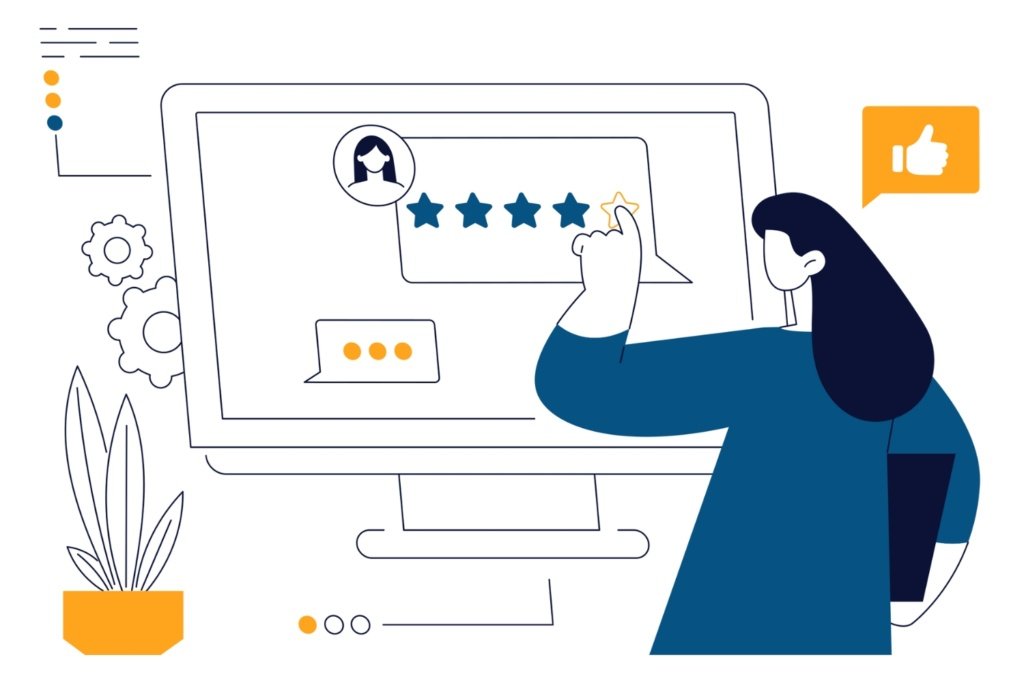
E-commerce sites should always have customer reviews on their product pages. It not only strengthens your social proof for that product but also optimizes it for SEO. Consumers won’t always visit your site when shopping online. They’ll also browse search engines for relevant products you offer that they’re interested in.
Embedding customer reviews also enhances your product page SEO because it can generate rich results. These are visual snippets that showcase your product differently and above traditional search results. Implementing customer reviews can help your product page generate review snippets, displaying reviewer information, the number of reviews, and the average rating.
When users click on rich results 58% of the time versus 41% for non-rich results, it’s worth combining SEO and social proof to boost product sales.
You can also combine SMS and email marketing to ask customers to leave a review after a recent purchase. Platforms like MailChimp and Constant Contact can even create SMS email drip campaigns to help you streamline review requests. They have automated features like follow-up text messages with direct links if they haven’t left a review after you asked via email, after a set time.
Social Proof Marketing FAQs
What is Social Proof?
Social proof is a psychological concept that influences people to behave or make decisions because many others are doing it. It’s a form of validation that people naturally seek to ensure they’re doing the right thing.
What is Social Proof in Marketing?
Social proof in marketing is when businesses leverage psychology to influence purchase patterns based on the opinions of their customers. They’ll commonly share positive online reviews, positive customer testimonials, and influencer promotions to showcase why their brand is trustworthy because others have vouched for them.
Does Social Proof Work?
Yes, many studies show that social proof is effective because it’s based on psychology to persuade people to purchase from you. When consumers see many people buying from a brand that had a positive experience, it makes them more likely to do the same.
Credibility Sells: Boost Your Bottom Line with Social Proof Persuasion
The principles of social proof show that it can better support your bottom line, no matter what industry your business is in.
At Reach Marketing Pro, we’re a full-service digital agency and can maximize your brand’s impact with platform-wide reputation management. With in-house social media managers, SEO specialists, and website copywriters, we can optimize your social proofing strategies across all channels you market on.
Whether you’re familiar with Google Analytics SEO reports or not, it’s a comprehensive platform with many metrics beyond keyword rankings. While keywords are necessary to monitor, connecting these rankings to your actual traffic analytics (not averages or aggregates) is how to measure your site’s SEO performance data more accurately.
That way, you have data-driven decisions to optimize your website effectively for a greater content marketing ROI.
Learn more about using Google Analytics for SEO, which reports are essential to track, and how to analyze them for improving SEO strategies.
5 Essential Google Analytics SEO Reports Your Business Should Leverage to Track, Analyze & Optimize Performance
Navigating Google Analytics SEO reports can be complex, with many features, dashboards, and metrics available. Below are the five essential Google Analytics 4 (GA4) reports you should leverage for optimal search performance.
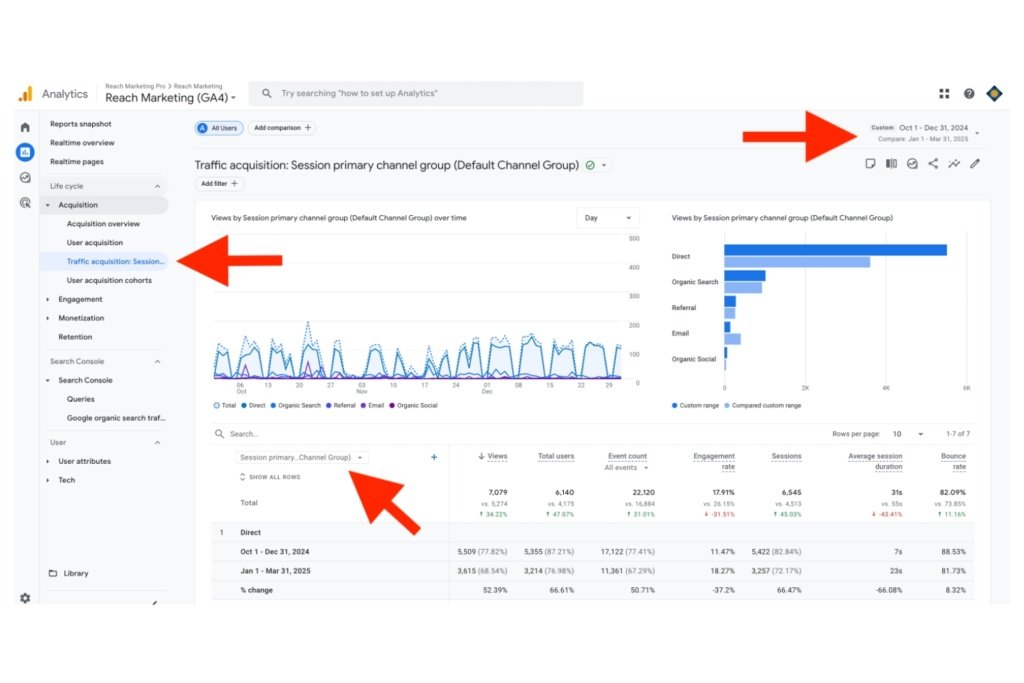
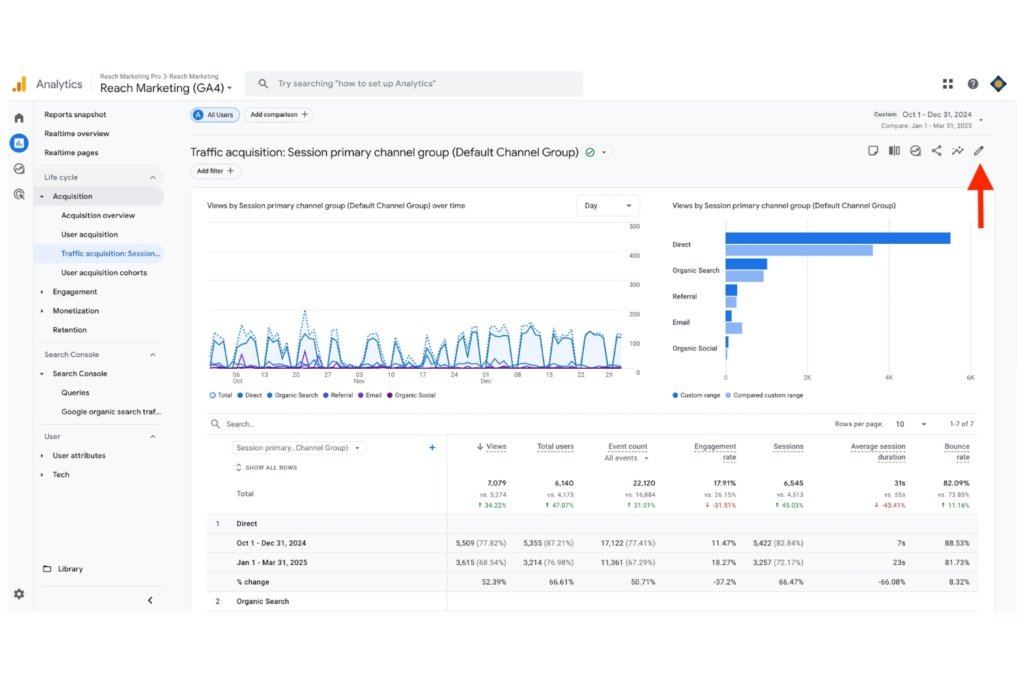
1. Traffic Acquisition: Session Primary Channel Group (Default Channel Group)
The Traffic Acquisition Google SEO report measures how many people visit your website and how they interact with it. This report is necessary to evaluate as it determines how successful your site is in attracting users and keeping them on it based on their behaviors.
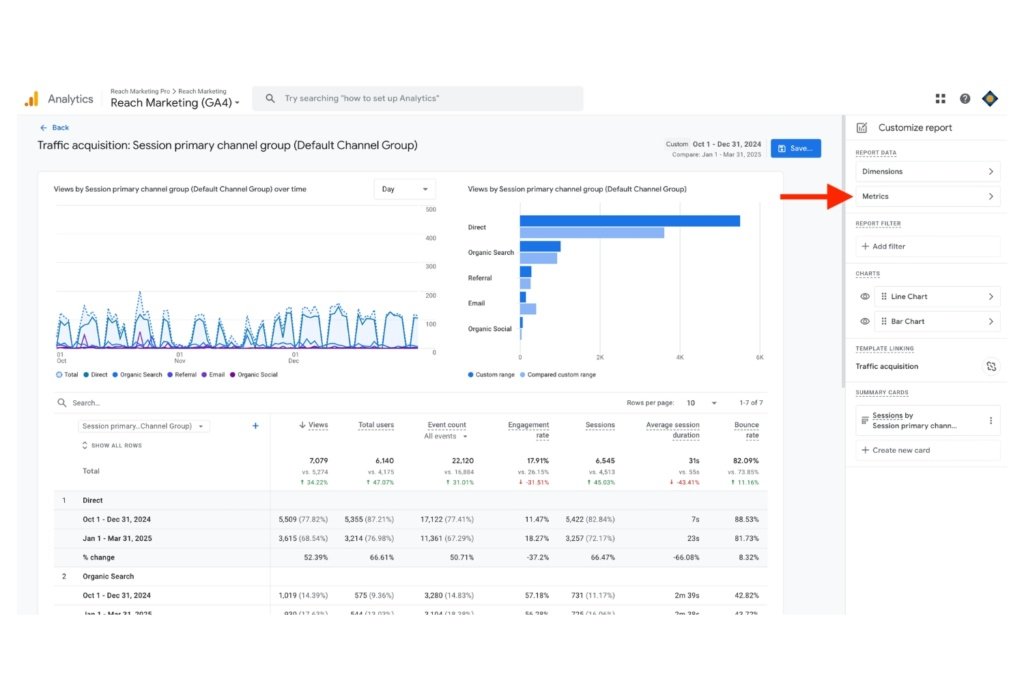
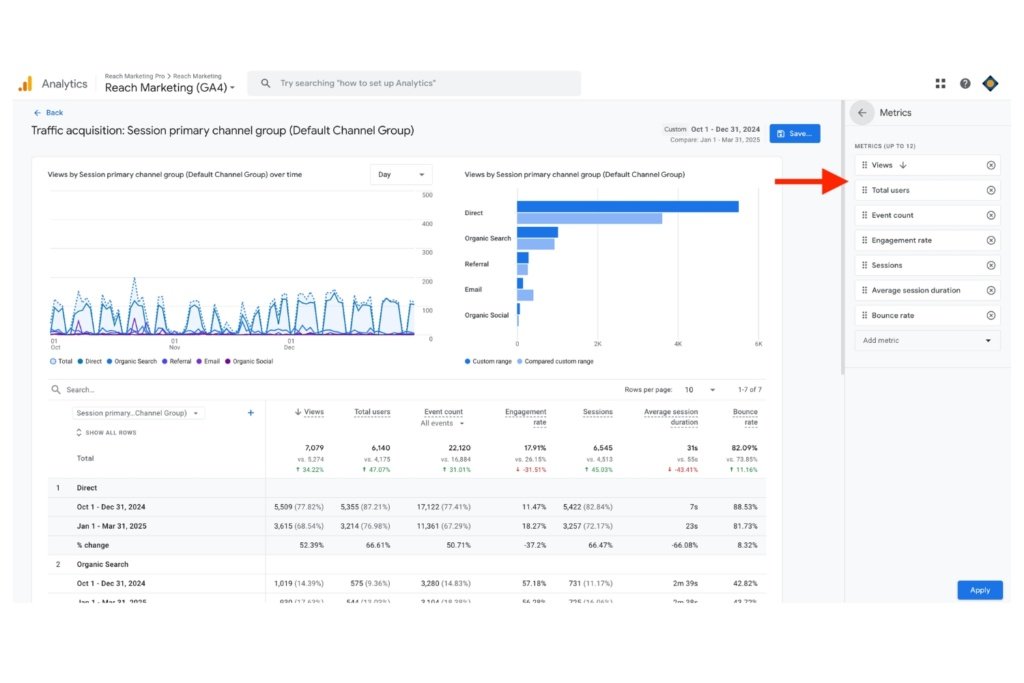
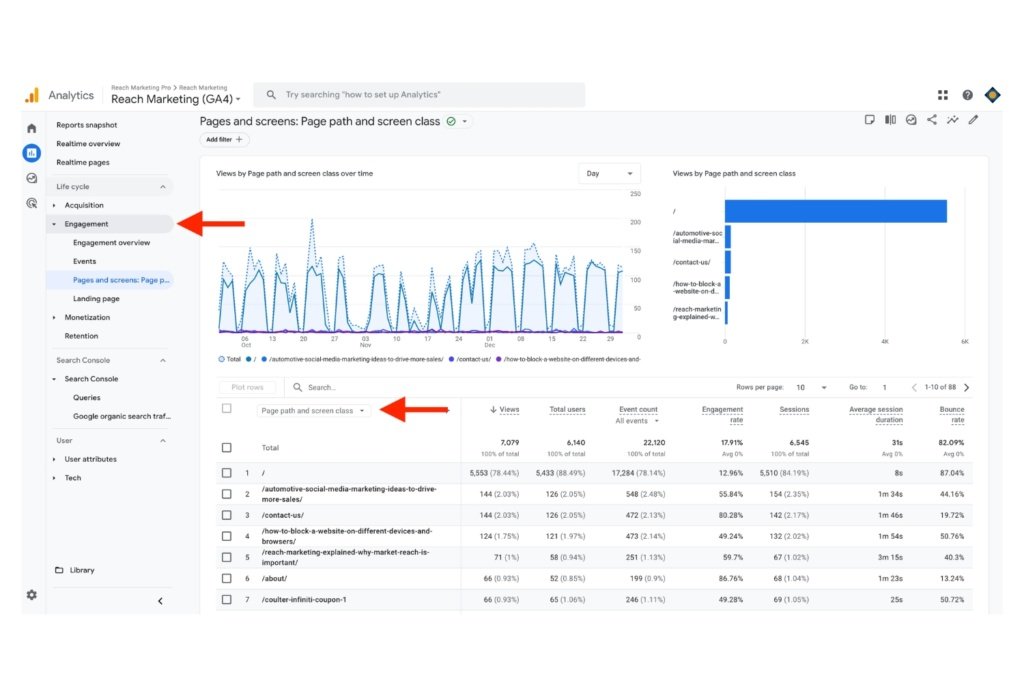
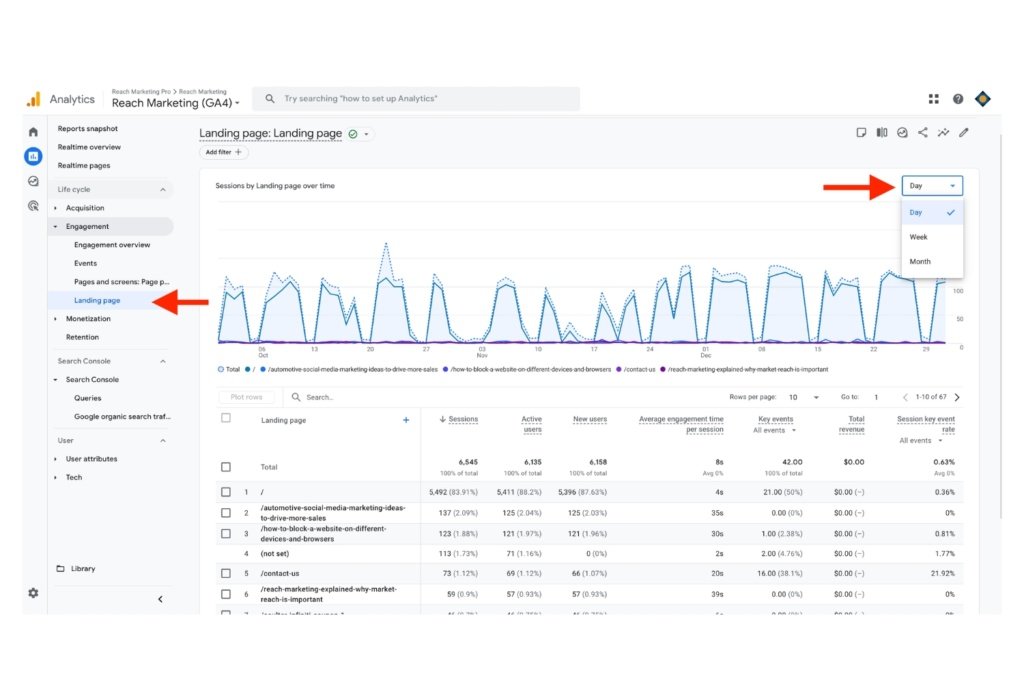
When entering the dashboard, configure it to Session Primary Channel Group (Default Channel Group) to review which sources contributed the most traffic your site acquired, such as Performance Max ads or organic social media. That way, you know which campaigns were the most successful for generating the most website traffic and the least for better budget optimization.
We recommend reporting on this quarterly and comparing it to the previous quarter to measure its progress, as it’ll show the quarterly increase and decrease percentages.
You can also configure the traffic acquisition metrics you want displayed in this dashboard.
We suggest configuring the Traffic Acquisition dashboard to the following metrics:
Views: Total number of website views
Total Users: Total number of new and returning people who visited your site
Event Count: How many people entered your site, and the channel they entered from
Sessions: Total number of people who interacted with your site within 30 minutes, adding items to cart, page browsing, etc.
Engagement Rate: How often people have active interactions longer than 10 seconds, such as two or more page views and at least one conversion event, with your site
Average Session Duration: Average time people spent and/or interacted on each website page
Bounce Rate: How often people leave your site
2. Engagement: Pages and Screens
The Engagement Acquisition Google SEO report measures how visitors interact with your website. This report is necessary to track as it determines how successful your site is in getting users to engage with it based on their behaviors. We also recommend reporting on this quarterly with the same metrics as your Traffic Acquisition report in the same right-hand menu.
When entering the dashboard, configure it to Page Path and Screen Class so you can see where users are entering and interacting with the most. It’ll show which pages are the top and lowest-performing, so you can discover optimization opportunities.
For example, if you find a bounce rate of 60% or higher, it may be a sign that your website design is pushing people away from a lack of engagement value. Common reasons for this are poor user experience, such as slow page load speed or lack of mobile-friendly design.
3. Engagement: Landing Page
Previously known as Conversions, the Engagement Landing Page report measures the performance of your landing pages. This dashboard is especially useful for e-commerce brands that depend on strong product page SEO for conversions and businesses running Google ad campaigns.
Like other GA4 SEO reports, you can configure it to track specific landing data you want. We recommend customizing it with the same Traffic and Engagement report metrics, plus conversions and total revenue.
You can even configure the dashboard with a daily, weekly, or monthly breakdown of the data provided. This feature is convenient when launching campaigns in specific periods. That way, you can review if your SEO strategies are generating profitable revenue and a greater ROI.
4. Google Search Console: Queries and Pages
In addition to GA4 SEO reporting, Google Search Console (GSC) is essential to measure your site’s search performance. While it’s not part of the GA4 platform, GSC is a key Google SEO report focusing on your website’s visibility rather than the user behavior of your site’s visitors.
Having data on your site’s content ensures it’s performing as it should on Google’s search engine.
Google Search Console: Queries
When logging into GSC, click Full Report and evaluate the Queries section by scrolling down. The Queries report displays the top search queries people used to visit your site during a set period.
You can use this information to identify popular keywords people use to drive more organic traffic and optimize your site’s content with them for higher rankings. We recommend reporting this on at least a quarterly basis.
Google Search Console: Pages
Next to the Queries tab, you’ll find the Pages tab. Click that to find your website’s pages’ performance during a set period. These page rankings factor in the most clicks and impressions (the number of times that page URL was shown in the search results). We also recommend reporting on this at least quarterly for an optimal SEO content strategy.
These insights are crucial to understanding how well your pages’ content performs, as they show what resonates with your target audience the most. You can discover content or page structure trends driving the best organic search performance and use that to improve lower-performing ones.
For example, if a blog post about “best project management tools” is one of your site’s top-performing pages, you can use this data to create more content on this topic because you know it’s popular with your audience.
You can also structure future-related blog posts with similar visuals, like dashboard screenshots or GIFs, to enhance SEO performance further within Google’s E-E-A-T guidelines.
5. Google Search Console: Search Results Performance
When logging into GSC and clicking Full Report, you’ll find a Search Results Performance report above the Queries and Pages section. The difference with this report is that it’s a broader overview of your website’s SEO performance in the Google search engine results page (SERP) versus specific queries and pages.
The Search Results Performance report provides the following metrics during a set period:
Total clicks
Total impressions
Average Click-Through Rate (CTR): The average rate at which people click through to enter your site.
Average Position: The average keyword ranking position for your entire website.
Analyzing these metrics helps you understand how your site’s traffic changes over time, where it’s coming from, and which queries are most likely to display your site in Google’s SERP.
If your website’s Average Position is starting to decline, you may be targeting the wrong keywords or using them incorrectly in your content based on the user’s search intent. For example, using transactional keywords like “running shoes” in blog posts may be the wrong search intent because people use this query to find product pages and are ready to buy, not learn more.
Get the Most Out of Your Google SEO Reports & Start Optimizing Smarter
SEO is a multi-faceted marketing practice because it involves many metrics to monitor for optimal success. At Reach Marketing Pro, we can help you streamline this process for better results.
We’re a full-service digital marketing agency providing services in all aspects of SEO, including SEO content writers, website design/development optimization, PPC, and more. Whether you have an existing website or need a new one, we have extensive SEO experience to ensure your SEO strategies support your bottom line. Ready to maximize your site’s search performance?
Are you a boutique agency owner or marketing leader feeling stuck in company growth? Whether you’re pouring budgets into underperforming PPC campaigns or your website isn’t high-converting, the problem may not be your products or offerings.
It could be your brand’s message.
Customers may not fully understand what you offer or how it helps them, exactly. A StoryBrand Coach provides professional rebranding services to help address these scalability challenges.
Learn more about StoryBrand, the benefits of working with a certified coach, and how it can lead to more conversions, stronger marketing performance, and real revenue growth.
Key Takeaways About Working With a StoryBrand Coach
A StoryBrand-certified Coach helps clarify your brand’s messaging so customers quickly understand your business’s value
Better brand messaging leads to stronger conversions, sales, and customer trust
StoryBranch coaching supports your website, brand strategy, and sales funnel
Companies often see stronger ROI when their content marketing becomes clearer and customer-focused
A StoryBrand-certified Coach helps align your team for long-term growth and cross-department consistency
What is StoryBrand?
Source: StoryBrand
StoryBrand is a globally recognized story-based branding framework developed by Donald Miller to help small marketing agencies, consultants, and freelancers grow their businesses. It’s designed to help you craft compelling customer-centric brand messaging that applies to your sales and marketing strategies.
Over 10,000 major brands and agencies, including Berkshire Hathaway, TOMS Shoes, and The White House, utilize their certification program—showcasing their credible, proven method.
Identify something specific that your customer wants.
Define the specific problem your customer has.
Understand how to get your ideas across and sell more products or services.
Build a bridge from the customer’s problem to the solution you’re proposing.
Create a compelling call to action that encourages your customer to take the next steps.
Show the negative consequences you want your customers to avoid if they don’t take action with your solution.
Give your customers a vision for a better future with the positive outcomes they’ll experience by using your products or services.
It’s about making your brand’s message less confusing and your marketing easier for customers to trust and act on.
What is a StoryBrand Coach?
A StoryBranch Coach helps businesses apply the StoryBrand framework to their marketing and sales strategies. It’s more than marketing advice. They’ll identify where your brand’s messaging breaks down and help fix it so your company communicates with confidence and clarity.
This involves clarifying your message, strengthening your website copy, improving your sales process, and creating seamless customer journeys that convert.
Marketing performs better when the message is strong. Increasing ad budgets and creating more content rarely fix weak brand positioning. StoryBrand coaching helps build a stronger marketing strategy by improving the foundation first: your message.
StoryBrand Coach vs. Marketing Consultant: What’s the Difference?
While a StoryBrand Coach and marketing consultant share similarities, such as improving business growth, they solve different problems.
A StoryBrand Coach helps answer: “Why aren’t customers understanding what we do?”
Marketing strategy plans, campaign audits, channel recommendations, lead generation strategies, and reporting
Website Impact
Strengthens home page messaging, CTAs, landing page clarity, and conversion-focused copy
Strengthens traffic generation strategies and overall website marketing performance
Sales Funnel Support
Message clarity throughout the buyer’s journey to reduce confusion and increase brand trust
Campaign optimization and touchpoints to attract users into the funnel
Long-Term Business Value
Repeatable messaging framework that supports all future marketing efforts
Strategic direction and optimization for ongoing marketing growth
Who It’s Best For
Small businesses struggling to explain their value or convert website visitors into leads
Businesses needing full-service cross-channel marketing strategy support
7 Game-Changing Ways a StoryBrand Coach Can Grow Your Business
Here are seven ways a StoryBrand Coach can help effectively grow your business and scale with confidence.
1. Customer-Centric Brand Messaging Development to Convert More Leads
Source: StoryBrand
Website traffic isn’t fully valuable if it’s not converting. Many businesses lose leads because their sales funnel lacks clarity. A StoryBrand Coach helps refine your brand’s message so it’s clear, compelling, and encourages people to engage. If your website makes people work too hard to understand what you offer, they’ll leave.
For example, if your marketing agency’s home page says:
“We provide innovative digital solutions that empower brands to maximize their full potential.”
While this sounds polished, visitors still don’t know:
What services you offer
Who you help
Why they should trust you
What they should do next
Brands often use marketing buzzwords or generic website copy that explain almost nothing to their target audience. Clear messaging removes this friction from the buying process.
A StoryBrand Coach fine-tunes your message and positions your company’s offerings more powerfully, such as:
“We help law firms generate more leads with SEO, website copy, and high-converting sales funnels.”
Now, users instantly understand what your company does, who you help, and the results they can expect. In return, it streamlines their buying process, with businesses seeing close rates increase by 28% on average from strategic rebranding.
2. Greater ROI from Your Marketing Efforts
Tired of throwing money at marketing strategies that don’t work? A StoryBrand Coach develops personalized customer-centric messaging across your marketing collateral for a greater content marketing ROI.
These include:
Nurturing email sequences and sales funnels with customizable templates
Lead generation PDFs
Landing page and web copy wireframes
Keynote presentations with brand scripts for prospects and upselling existing clients
Step-by-step onboarding guides for installing new agency processes
According to Forbes, consistent cross-channel brand positioning increases revenue by up to 23%.
It’s more than visual aesthetics.
Strong differentiated branding helps your company stand out in a crowded marketplace. It creates lasting impressions, builds deeper customer relationships, and achieves measurable returns.
3. A Customized Business Growth Plan for Long-Term Support
During the 12-week onboarding process, a StoryBrand Coach will create a customized business growth plan with your entire company for ongoing support. From sales to social media departments, your entire team will be aligned for a consistent and clear brand message.
This service includes how to:
Create company goals with step-by-step 90-day planning and staff accountability calls
Implement new marketing strategies on what products/services to offer and how to market them with sales support
Install new marketing systems to achieve measurable growth based on the coach’s feedback
Compare business progress with other similar StoryBrand-enrolled business group calls and grow your network
From bi-weekly Brandscript Bootcamp calls to monthly seminars and group workshops, you’ll receive staff-wide support from a StoryBrand-certified Coach long-term.
4. Increased Business Value and Prices to Scale Effectively
Are you a marketing consultant who wants to earn more and work fewer hours? Or an agency owner experiencing decreasing leads and sales? StoryBrand coaches will guide you through how to charge more for your services by better showcasing your business’s value.
They’ll recommend new profitable hourly rates and provide you with sales support tools to attract new high-paying clients—while gaining the confidence to stop undercharging.
5. Diverse StoryBrand Coaches to Cater to Unique Company Needs
Previously known as StoryBrand Guides, there are many types of coaches available to help meet your diverse market needs, including:
Agency owners, marketing consultants, and marketing department leadership
Copywriters, SEO marketers, and social media managers
Graphic designers and video marketers
Web developers
AI engineers and IT technicians
Slack experts
Lead generation and sales managers
Working with a coach who actively works in these roles has the field experience to offer you relevant and tailored business expertise.
6. Many StoryBrand Resources Available in Different Media
In addition to ongoing support from your coach, you’re provided a vast StoryBrand resource library to reference anytime. These include live calls with recordings, marketing article guides, online courses, and an active Slack workspace in different regions with multiple industry channels for networking and feedback on projects your peers are working on.
StoryBrand Coaches give you more than just advice. They provide you with exclusively valuable plug-and-play resources.
7. Exclusive Access to the StoryBrand Community for Networking & Expanded Market Reach
Working with a Storybrand Coach gives you exclusive access to a vibrant StoryBrand community. Whether group calls or live seminars, you’ll have networking opportunities to swap referrals, collaborate on projects, and receive advice to expand your market reach.
Your company will also be listed in the Marketing Made Simple directory. It’s where potential clients actively search for products and services related to your business. These include copywriting, sales funnel, website development, marketing strategy, email marketing, and full-suite marketing agencies.
Additionally, there’s an annual StoryBrand Marketing Summit in downtown Nashville, where coaches and like-minded businesses attend the three-day event for in-person learning and connecting. Can’t make it in person? You can also register for their Virtual Summit.
Maximize Your Small Business Potential with a StoryBrand-Certified Coach
Whether you need higher-converting sales funnels or compelling web copy, working with a StoryBrand-certified coach can unlock your small business’s next stage of growth.
At Reach Marketing Pro, our CEO, Carmen Leonard, is a StoryBrand-certified Coach, backed by a full-service marketing team—not just a standalone consultant.
That means you get more than strategy.
You get execution from SEO specialists, copywriters, website designers/developers, and graphic designers, who know how to turn StoryBrand strategy into measurable results.
Ready to get your brand out of its growth rut?
Let’s chat about how our StoryBrand coaching can help take your business to the next level.